

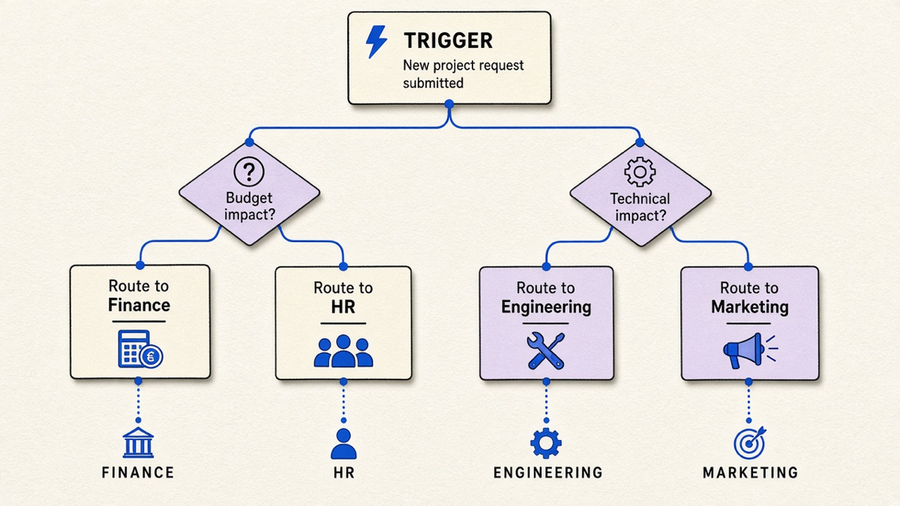
Workflow automation tools are software that watches for a trigger and runs rule-based actions in response, no person required for the routine part. That is the whole definition, and most vendor pages spend 1,500 words dressing it up. Microsoft’s own explainer boils it down to “if A happens, then do B,” and Atlassian describes the same thing as task-management software that routes work and information between people and systems from a predefined rule. The confusing part is not the definition. It is that “workflow automation tools” gets used for four genuinely different product categories, and most buyers pick the wrong one because a list told them to compare all four at once.
What workflow automation tools actually do
Strip away the marketing and a workflow automation tool does three things: watch for a trigger, apply a rule, and take an action, then log what happened so someone can check later. Microsoft frames this as a piece of business process management, meaning the software triggers tasks, sends reminders, keeps teams in sync, and gives you a paper trail. Atlassian’s version of the same mechanism is a completed task automatically routing to the next assignee while a dashboard updates itself. Neither company is describing anything resembling intelligence. They are describing a rule that fires reliably, which is the actual value proposition and the part that gets lost when a vendor wants to sell you the newer, shinier thing.
That newer, shinier thing is AI layered on top of the rules engine, and it is a different tool even when it ships in the same product. Activepieces sells AI Copilot and agent-style routing under the same “workflow automation tools” search term that Microsoft answers with a static if/then chart. Both are technically correct, but they are not interchangeable. AI is not magic here, and it is nowhere near the point where you hand it a vague goal and walk away. It handles common grunt patterns well, the categorize-this-ticket and summarize-this-thread work, and it still needs someone who understands the process to set the guardrails. A rules engine needs no such babysitting because it never tries to interpret anything. If your process is genuinely “if X then Y,” an AI layer is a feature you will not use.
If the automation you actually want is a language model deciding what to do next rather than a fixed rule firing, that is worth reading as its own category. Our AI automation tools piece draws that line in more detail, because the buying criteria on each side barely overlap.
How to pick the best workflow automation tools
“Best” is where the vendor listicles show their hand. Activepieces’ own roundup names itself best in its FAQ, which tells you more about their marketing team than about your process. Microsoft and Atlassian, to their credit, never name a competing product, but they also do not tell you how to choose between two options that both check every box on their feature list. So do the boring thing first: Microsoft’s sequence is analyze your current process, find the actual bottleneck, and know which team will use the tool, all before you open a comparison tab. Atlassian adds a version of the same discipline: start with one simple process, involve the people who will run it daily, and keep a human in the loop on anything that counts as a real decision.
Once you know the job, the checklist gets short. Microsoft’s list is a usable UI, real third-party integrations, customizable steps, cloud operability, reporting, security, and scale. Atlassian’s adds mobile access and named integrations like Slack and GitHub as proof the tool actually connects to what you already run. Neither list mentions AI as a requirement, and that is the tell. One Microsoft distinction is worth stealing for your own evaluation: intelligent document processing uses AI/ML to classify and validate unstructured documents, while automated document processing just captures and stores fields into a system. If a vendor pitches “AI-powered document automation,” ask which of the two you are actually buying, because the price difference is real and the second one might be all you need.
Most customers only end up using 10 to 20 percent of any platform they buy, and workflow tools are the clearest example of that pattern. Teams license the full suite for the AI routing and the analytics dashboard, then spend a year running three static approval chains and nothing else. Buy the slice that matches the process you have, not the platform that could theoretically handle the process you might have in eighteen months.
Workflow automation software by job, not by department slide
Vendor pages love a department-by-department breakdown because it lets them show range, but the departments are not shopping for the same tool. Microsoft’s list runs project management, sales and marketing, customer service, finance, and HR, with examples like auto-tagging support tickets, running budget approvals, and processing time-off requests. Atlassian’s examples sit one layer deeper inside delivery teams specifically: a product manager scoring feature requests by impact and effort, an engineering lead auto-assigning code review by workload, a bug triage flow that categorizes and escalates on its own.
Read those two lists side by side and the real split appears. Atlassian is describing Jira issue routing for people who already live inside a delivery tool. Microsoft is describing cross-department paperwork automation for people who mostly live in email and spreadsheets. Both call it “workflow automation software.” A finance team evaluating invoice approvals and an engineering lead evaluating code review assignment should not end up comparing the same three vendors, because they are not solving related problems no matter what the category page says.
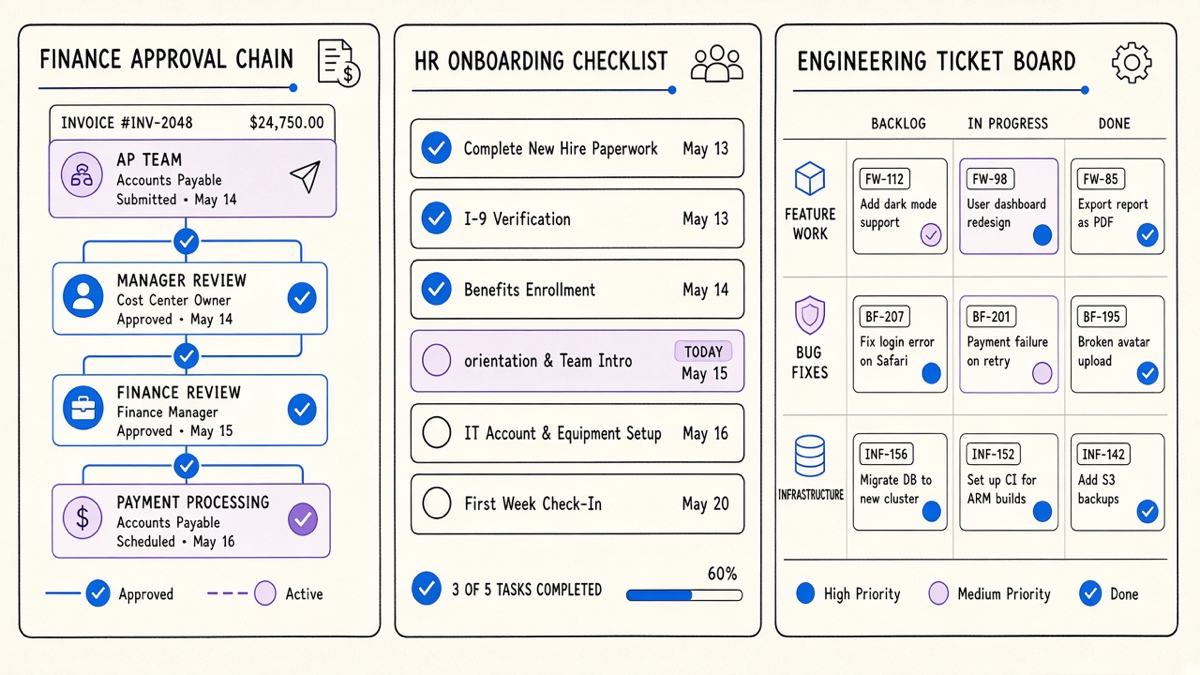
If what you actually need is a canvas where a non-technical team member can wire up one of these department-specific flows without waiting on engineering, that is a narrower ask than “workflow automation software” and worth treating as one. Our AI workflow builder covers what that looks like when the builder itself understands intent, not just triggers.
A concrete list of automation tools, and why it will not look like you expect
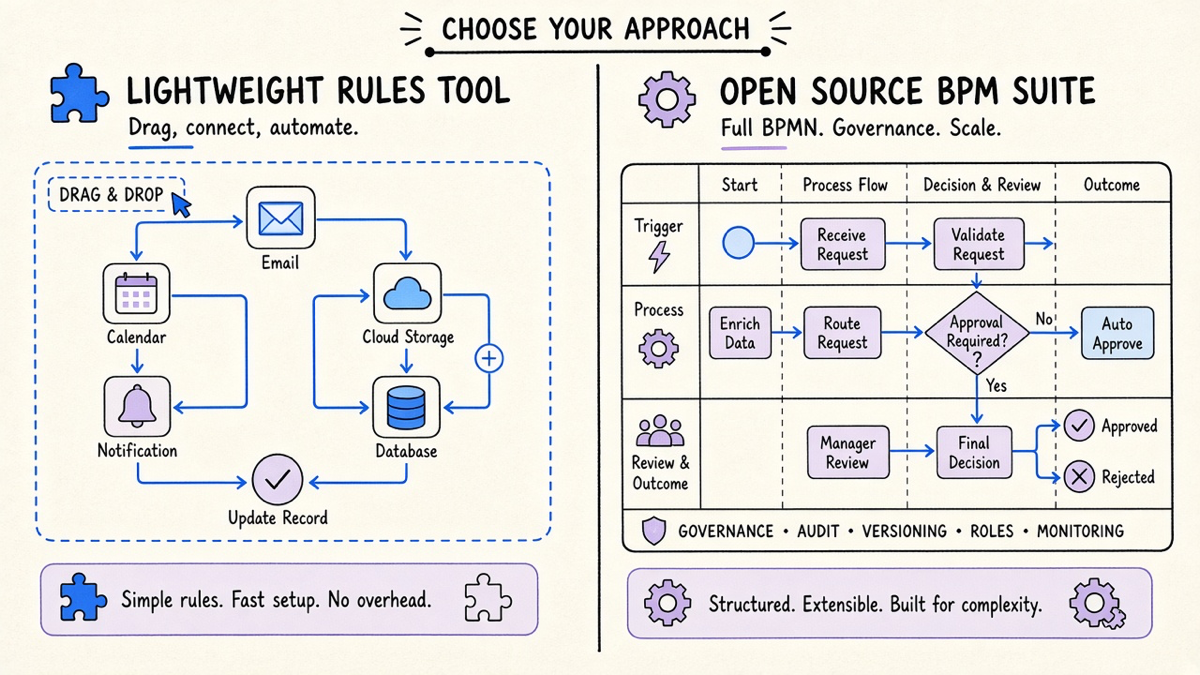
Ask for a “list of automation tools” and you get a strange one, because the category quietly includes four unrelated product families. Activepieces’ own top-ten roundup mixes them without flagging the difference: Activepieces itself (drag-and-drop, self-hostable, 450-plus integrations by their count), Apache Airflow (Python-defined pipelines for data and ML jobs, not built for real-time work), Camunda and Bonitasoft (BPMN process suites aimed at compliance-heavy industries), and StackStorm (event-driven IT-ops automation with ChatOps built in). Those are not five flavors of the same tool. Airflow engineers do not care about the same features a finance team scoping invoice approvals cares about, and putting them on one ranked list is how buyers end up evaluating a Kubernetes-native ML pipeline against a no-code approval builder like they are competing products.
The commercial shortlist most teams actually mean when they say “workflow automation tools” is smaller and more familiar: Zapier, Make, Power Automate, and increasingly n8n for teams that want to self-host. We already broke down that specific comparison in our Zapier alternatives piece, including where Zapier, Make, and n8n genuinely diverge on price and control, so this post will not repeat it. What is worth flagging here is a distinction Activepieces itself makes in its FAQ: Zapier is a workflow automation tool that connects apps and runs tasks, not an AI platform making native decisions. That is a fair description of most of the category, and the market has just gotten sloppy about branding rules-based connectors as “AI” because the word sells better on a landing page this year than it did two years ago.
Buying the tool without buying the wrong category
None of the vendor pages behind this piece published an independent study or a pricing table, and neither will most “best of” content you find searching this term, because nearly every article in the category is written by a vendor selling into it. That is not a reason to distrust the definitions, which line up across Microsoft, Atlassian, and Activepieces almost word for word. It is a reason to distrust the ranking. Before you compare tools, know whether you are buying a rules engine, a department-specific issue router, an AI layer on top of either, or a BPM suite meant for compliance workflows, because those are four different purchases wearing the same search term. If you are unsure whether you need a toolset at all versus a platform someone else runs for you, that distinction is worth reading before you sign anything. Start with the process you have today, name the bottleneck in one sentence, and only then open a vendor tab. That order fixes more automation projects than any feature comparison does, and it is the step every vendor page conveniently skips.