

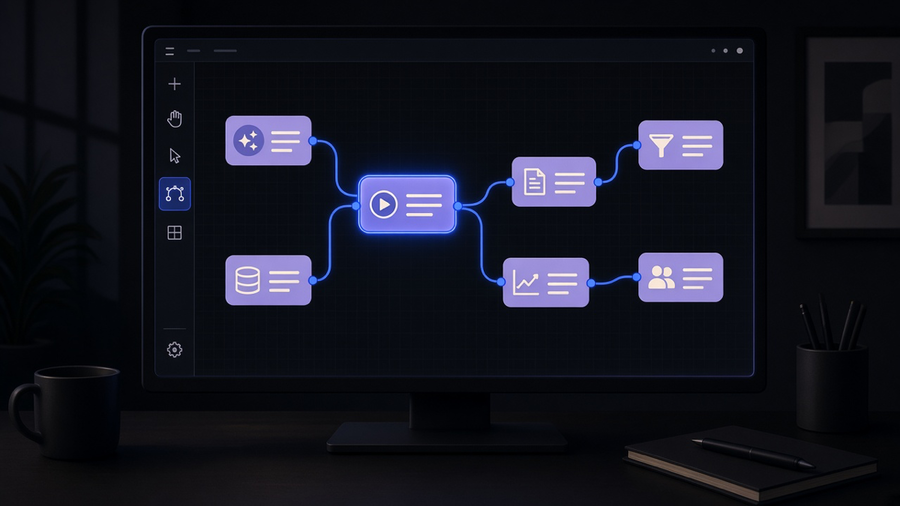
A workflow automation platform is software that runs, monitors, and governs automated processes across every app your business touches, not a single connector between two tools. That distinction is the whole ballgame. If you searched “workflow automation platform” hoping for a single answer to “which one,” you are asking the wrong question first. The right one is whether your business needs orchestration across a dozen systems with an audit trail, or whether it needs three or four things wired together and left alone. Most teams buy the first when they need the second, then wonder why the invoice keeps climbing.
Platform, software, and tools are not the same purchase
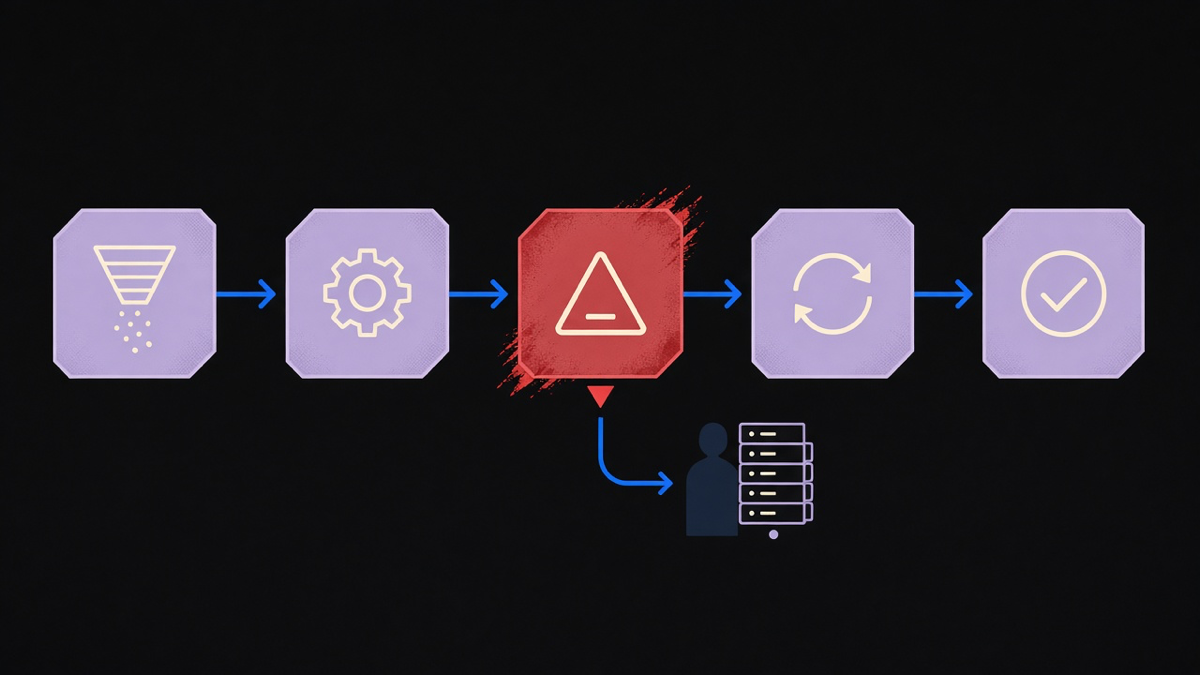
“Workflow automation software” gets used as a catchall, but the market actually splits into three tiers. A workflow automation tool is a single connector or trigger, one app talking to another app on a schedule or an event. Workflow automation software is a broader product that runs several of those connections and gives you a dashboard to watch them. A workflow automation platform adds the layer software alone does not: role-based permissions, version history on the workflow itself, error handling that routes a failure to a human instead of silently dropping the record, and the ability to run steps that touch a database, a legacy system, or an internal API, not just a public webhook.
The confusion is understandable because vendors blur the line on purpose. A tool with a pricing page and enough integrations calls itself a platform the same year it adds its fifth connector. The tell is what happens when something breaks at 2am on a Saturday. Software tells you a run failed. A platform tells you which step failed, what the input record looked like, and lets you replay just that step without re-running the whole chain. If you cannot answer “what happened to record 4,412 last Tuesday” from the tool’s own logs, you bought software, not a platform, whatever the marketing site says. Understanding what workflow automation is at the process level, before the vendor conversation starts, is what keeps that distinction from mattering only after the contract is signed.
How to actually evaluate one
Skip the feature checklist. Vendors all check the same boxes: integrations, templates, an AI step, a free tier. The evaluation that matters has four questions, and most demos are built to dodge all four.
First, what happens on partial failure. A workflow that touches five systems and fails on step three should not leave systems one and two in a changed state with no record of it. Ask for a live example, not a slide.
Second, who can see and edit a live workflow, and whether that changes when someone leaves the company. Plenty of platforms hand out shared logins because seat-based pricing punishes granular access, which is a business model problem wearing a security costume.
Third, what the platform does with a system that predates APIs entirely: a legacy ERP, an on-prem file share, a fax line that a compliance office still insists on. If the answer is “we don’t do that,” you have found the edge of the product, which is fine, as long as you find it during evaluation and not during an outage. A short list of workflow automation examples across intake, accounts payable, and support routing is a faster gut check than any vendor’s case study page, because it shows you the shape of a real workflow instead of a logo wall.
Fourth, cost at your actual usage, not the demo tier. Per-task and per-run pricing looks cheap until a busy month triples the bill with no warning. Most customers end up using ten to twenty percent of a platform’s feature surface and paying for the other eighty anyway, because the pricing tier that unlocks the two features they need also unlocks forty they never touch. That is not a knock on any one vendor. It is how the category prices itself.
AI workflow automation platforms are not rules engines with a chatbot bolted on
The cluster term “ai workflow automation platform” gets sold as an upgrade to the old rules engine, and sometimes it is. A rules engine executes exactly the branch you specified: if field X equals Y, do Z. An AI step reads unstructured input, a support email, a scanned invoice, a Slack message, and decides which branch applies before any rule fires. That is a real capability difference, not a marketing repaint.
It is also where most of the overselling happens. AI is not close to running a workflow on autopilot with zero review, and treating it that way is how a misrouted invoice becomes a missed payment. The platforms doing this well use AI to fill the gap traditional rules can’t cover, classifying a message, extracting a field from a messy PDF, drafting a response for a human to approve, and keep a deterministic rule in charge of anything with money or compliance attached to it. n8n’s own roundup of AI workflow tools splits its picks by job rather than crowning one winner: Zapier for non-technical teams wiring popular apps together, Workato for enterprise sales and marketing stacks, Agentforce for shops already living in Salesforce. That’s the honest framing. There is no single best ai workflow automation platform, there is a best fit for what you already run and who has to maintain it after launch. Teams outgrowing a general connector tool for this reason usually start by scanning Zapier alternatives built for exactly that AI-plus-orchestration gap, then narrow from there. The deeper mechanics of where AI adds a decision instead of just moving data are worth a closer look in how AI workflow automation actually works.
When the platform is not the answer
Here is the opinion part, and it will annoy some vendors: if your process touches a legacy system with no API, needs a judgment call a rule can’t encode, or has to survive an audit, a platform alone will not get you there. You need someone to build the missing piece, and that is implementation work, not a subscription. We would rather see a client buy the smaller platform and pay for two weeks of integration work than buy the expensive one and still need the same two weeks, just with a bigger monthly bill stacked underneath it.
The tradeoff is real and worth naming plainly. Custom integration work costs more upfront and takes a person’s time instead of a credit card. It also means the workflow actually matches how the business runs instead of how the workflow round the edges off to fit a template. Our own delivery numbers back the case for scoping tight before building big: average first proof of concept in seven days, on-budget on ninety four percent of projects, because the scope was set against the real process instead of a demo checklist. If you already know the platform decision is really an implementation decision, workflow automation services is the more honest place to start the conversation than another feature comparison page.
A workflow automation platform earns its name when it can show you exactly what happened to a specific record on a specific day, hand off a judgment call to AI without losing the audit trail, and still leave someone accountable when a legacy system refuses to cooperate. Buy for that job, not for the longest integrations list on the pricing page.