

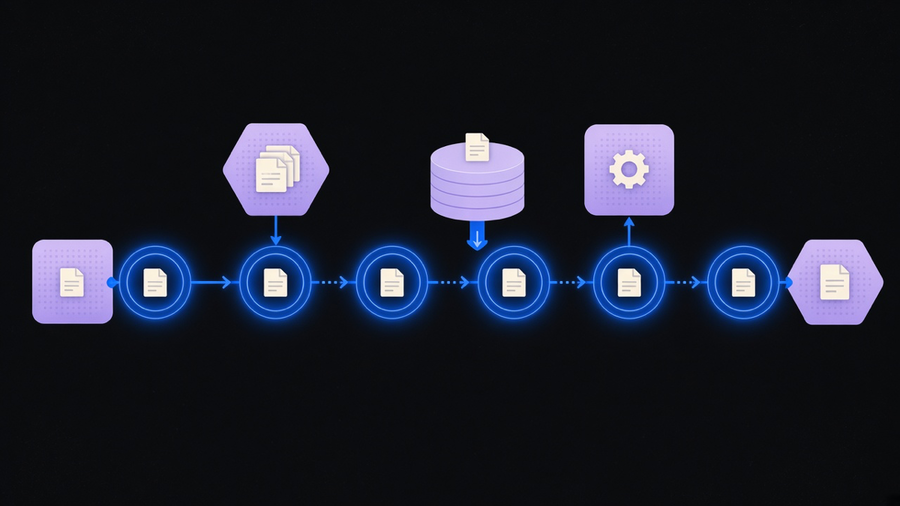
Workflow automation is software that carries out a repeatable sequence of steps for you, without a person manually moving information from one app to the next. Zapier’s own definition boils the whole category down to one command: when this happens, do that. A form gets submitted, so a record gets created. A deal closes, so an invoice goes out. That is the entire mechanism, no matter how many tools sit between the trigger and the result.
The term gets stretched to cover everything from an Excel macro to a full RPA bot army, and that stretching is exactly why “what is workflow automation” keeps getting searched instead of just answered. It deserves a clean boundary, so here is one.
Workflow Automation Meaning: What It Is and What It Is Not
A workflow is the specific sequence of steps that gets a process done: create the invoice in QuickBooks, upload it to DocuSign, email it for signature, then trigger a payment reminder through Stripe. The process is the “what” (get paid), the workflow is the “how” (the exact steps), and workflow automation is handing that “how” to software instead of a person. IBM’s version of the same distinction separates business process (BPM) workflows, which structure work across a whole process, from robotic process (RPA) workflows, where a bot mimics human clicks inside one system.
That distinction matters because vendors blur it on purpose. A tool that automates one task, an autoresponder, a scheduled export, is not automating a business process, it is automating a workflow inside one. If you want the process-level version, where a sale updates your CRM, invoicing tool, and inventory system in the same motion, that is business process automation, a bigger and more expensive job than most people mean when they type this search term. Workflow automation is the smaller, more common unit, and most businesses should start there before they ever shop for a platform.
How Workflow Automation Works: Trigger, Rule, Action
Strip away the marketing language and every workflow automation tool runs the same loop: a trigger fires, a rule checks whether conditions are met, and an action executes. Zapier frames it as WHEN and DO. Atlassian’s own build-it-yourself guide breaks the same loop into steps any team can run without a vendor: map how tasks currently move between people, find what actually triggers a task to start or change, then diagram it before touching software at all.
That mapping step is the one everyone skips and the one that determines whether the automation works. Atlassian’s own list of build steps puts “identify tasks that require integrating data from other systems” and “test and optimize the automated workflow” ahead of turning anything on, because a rule built against an undocumented process just automates the confusion faster. A workflow automation platform is only as good as the map you feed it. Buy the platform first and skip the mapping, and you get a fast, well-documented version of the same mess you started with.
Most platforms give you a visual builder for this loop: pick a trigger app, add conditions, chain actions, test the path end to end before it touches real data. The mechanics are genuinely simple. The judgment calls about what should trigger what, and what counts as an exception that needs a human, are the part software cannot do for you.
Benefits of Workflow Automation That Actually Hold Up
Most “benefits of workflow automation” pages read like the same paragraph copied four times: saves time, cuts errors, scales better. All true, all vague enough to be useless without a number attached. A few real ones, with sources: Calendly’s own case study with Zapier reports saving the team 10 hours a week on manual scheduling coordination. Hudl reports saving $12,000 to $15,000 a year and cutting average customer support handle time by 21.5% after automating its support routing. Those are the kind of numbers worth citing, because they name a specific workflow and a specific before-and-after, not an industry average pulled from a whitepaper.
IBM’s framing adds the part most benefit lists gloss over: automation’s real payoff compounds as a company scales, because a manual process that barely worked at ten orders a day becomes the thing that breaks the business at a thousand. Cost savings and error reduction are the headline, but the underlying benefit is that the process stops depending on one person remembering the steps.
Here is where I will land a side instead of listing both: most companies searching “benefits of workflow automation” only need a handful of connected triggers, not a full platform subscription. Most customers use 10 to 20 percent of what a workflow platform actually offers and pay for the other 80 percent anyway. If your real need is three connected triggers between a form, a CRM, and an email tool, buy that, not a seat license for a platform built for a hundred workflows you will never build. The platform earns its price once you are running dozens of workflows across departments. Before that, it is an expensive way to automate three things.
Where Workflow Automation Applies (and Where It Fails)
Marketing, sales, accounting, and eCommerce teams all run some version of the same short list: routing leads, updating a CRM when a deal changes stage, filing expense reports, notifying a customer when a charge fails. Zapier’s own breakdown by job role shows the same pattern across every function, a repeatable, low-judgment step gets automated so the person can spend their attention on the parts that need it. If you want the role-by-role version mapped out in more detail, there are workflow automation examples worth walking through by department rather than in the abstract.
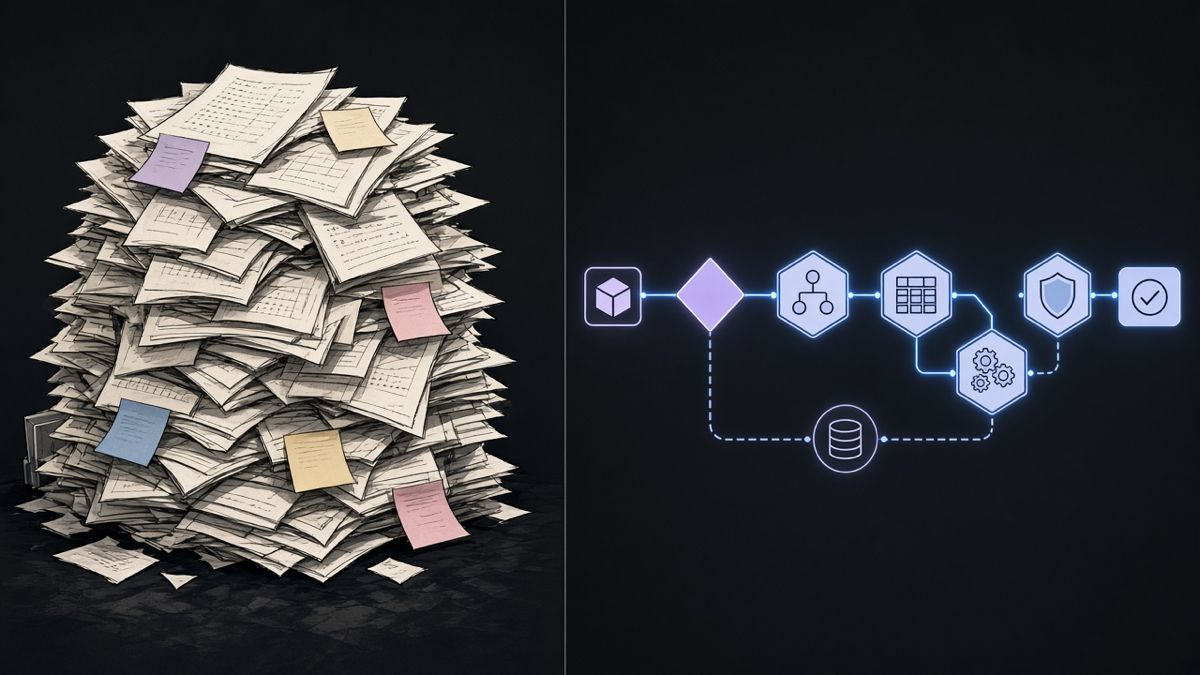
The failure mode is just as consistent. Automating a broken process does not fix it, it just breaks faster and with less visibility into why. A brittle integration between two apps that were never meant to talk to each other will fail quietly the first time either app changes its API, and nobody notices until a customer complains that their invoice never arrived. AI gets pitched as the fix for this, and sometimes it is: it is genuinely good at the “grunt” work, common patterns, document extraction, matching a name across two systems that spell it differently. It is not close to an autopilot that replaces the judgment call about what an exception even is, and treating it that way is how a workflow automation project quietly becomes a workflow automation liability. The distinction between rule-based automation and AI automation is worth understanding before you assume the newer label solves an older problem.
The honest answer to “what is workflow automation” is smaller than most vendor pages want it to be: a trigger, a rule, and an action, running against a process someone actually mapped first. Everything past that, the platform, the AI layer, the enterprise dashboard, is optional until the basic loop is doing real work. Teams that get this backwards buy the platform, skip the mapping, and end up paying full price to automate a process nobody diagnosed. Teams that get it right start with one workflow, prove it saves the hours the vendor promised, and only then decide whether the next ten workflows need a bigger platform or a service that builds and maintains them so the mapping step actually happens before the automation ships.