

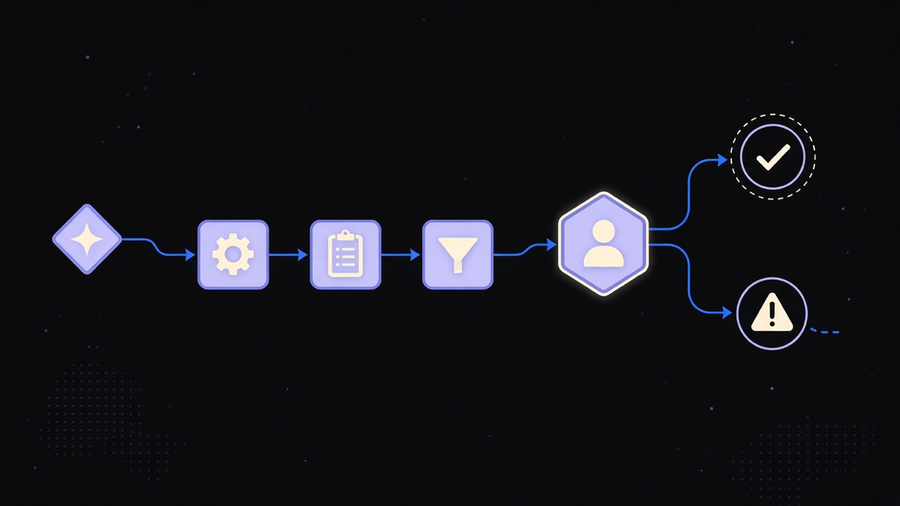
A workflow automation example is only useful if it names four things: the trigger, the systems it touches, the point where a human has to look at it, and what happens when it breaks. A new invoice lands in an inbox, gets read by OCR, routed to the right approver based on amount, and flagged for manual review if the vendor is new. That is an example. “Automate your invoices with AI” is a headline. Most pages ranking for workflow automation examples right now are the second kind dressed up as the first.
Named examples that actually save someone time
The ones worth copying cluster around four jobs: operations, finance, sales, and support, because those are the departments with the most repetitive, rule-governed steps.
The most common workflow automation use cases split the same way, so start with the department, not the tool. On the operations side, employee onboarding is the workhorse example. A new hire signs an offer letter, which triggers account creation in the identity provider, a Slack invite, a hardware request to IT, and a training-track assignment based on department. We built something similar for an HR-focused client: every inbound and outbound HR action, from a signed offer to a benefits election, became a trigger that could fire actions across third-party systems without someone re-typing the same three fields into four different tools. The naive version of this is a checklist in a shared doc. The workflow version fires the actions themselves.
Finance runs on invoice approval chains. A bill comes in, OCR pulls vendor, amount, and due date, and a router sends it to a manager for anything under a threshold and to a director above it. The interesting part is not the OCR step, everyone has that now. It is the escalation logic and what happens when the vendor is new or the invoice total looks wrong, which is where most off-the-shelf templates quietly stop and a human has to take over anyway.
Sales lead routing works the same way: a form fill or inbound call becomes a trigger, a scoring rule or territory rule decides who owns it, and a timer escalates it if nobody responds in an hour. Support ticket routing mirrors it on the other side of the business, tagging a ticket by category and urgency, then sending it to whichever queue actually has the right skill sitting in it that day, not just whoever is next in a round robin.
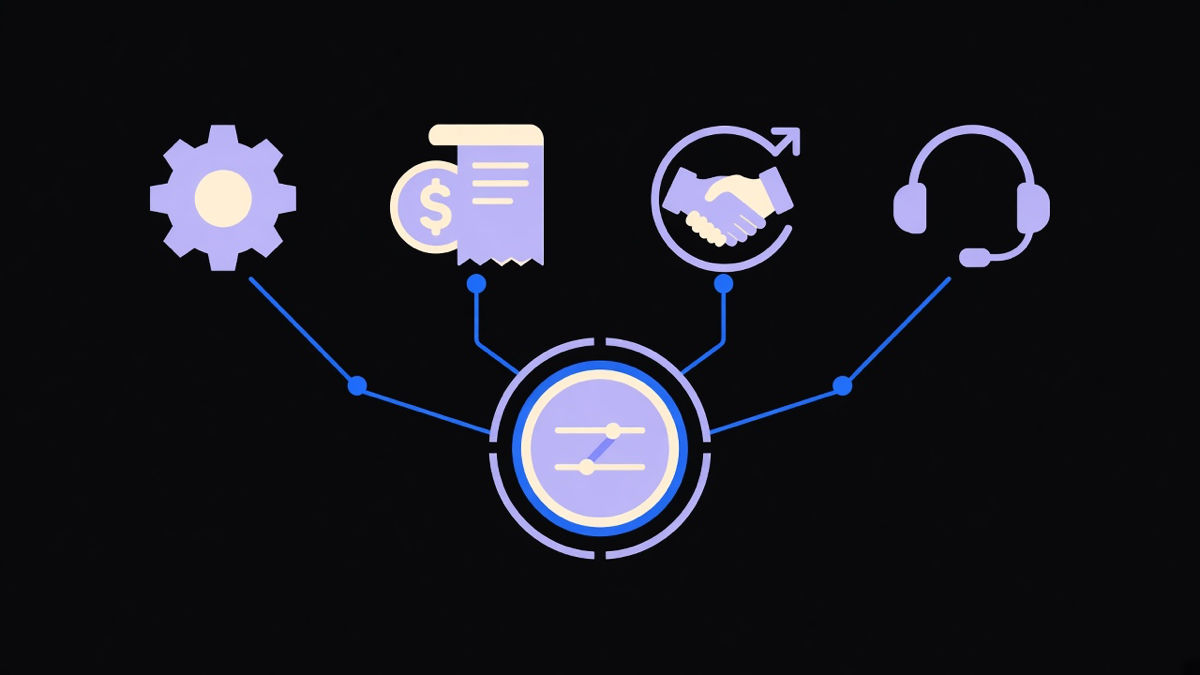
None of these are exotic. That is the point. The examples that hold up in production are the boring ones with a named trigger and a named exception path, not the ones that need a live demo to make sense.
Workflow software examples are a different question than worked examples
Search “workflow software examples” and you mostly get a features list with a logo wall attached: connectors, a visual builder, templates, an approval module. That answers what the tool can do, not what a workflow with it looks like once it is running against a real invoice or a real support ticket. Reading a platform’s feature grid tells you the shape of the box. It tells you nothing about the exception handling you will build inside it in month three, which is where most of the actual engineering effort goes.
This is where an honest opinion earns its keep: most companies buying workflow software use ten to twenty percent of what they are paying for. The lead-routing rule and the invoice approval chain get built. The forty other prebuilt integrations sit there generating a renewal invoice nobody reads closely. A vendor selling seats has no reason to point that out, so it falls to whoever is evaluating the tool to ask which slice of the platform this specific workflow needs, rather than buying the whole catalog because the demo covered every module in forty minutes. If you have not yet nailed down what the term itself covers, the software comparison is premature anyway.
The cost of skipping that question shows up later as a subscription line item nobody can justify in a budget review, and by then the tool is load-bearing enough that switching costs more than the wasted spend did.
Where AI actually changes a workflow automation example
“AI workflow automation examples” gets used two different ways online, and the difference matters. One is marketing copy for a rules engine that added a chatbot skin. The other is an actual model doing a step a rule could not: reading an unstructured support message and classifying intent, drafting a reply in the sender’s tone, or pulling a number out of a scanned PDF that has no consistent layout.
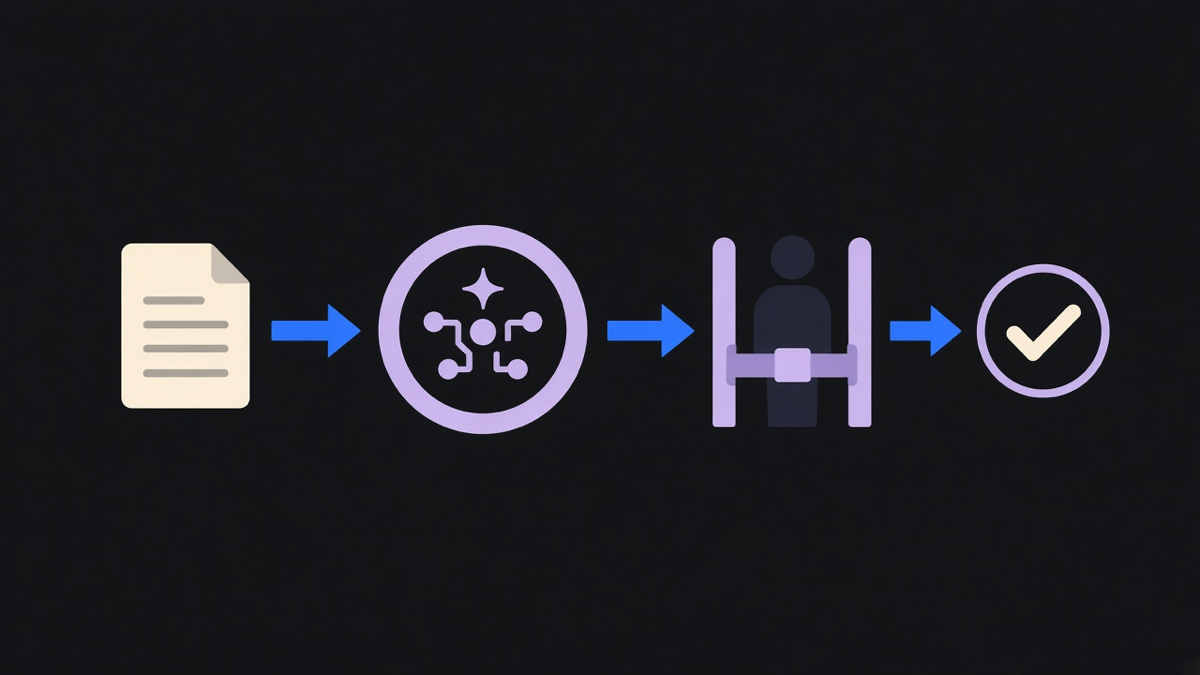
AI is not close to running a workflow on autopilot, and treating it that way is how a routing flow starts sending refund approvals to the wrong queue at 2am with nobody watching. What it is good at is the grunt work inside a workflow that traditional code handles badly: unstructured text, messy documents, and pattern matching across cases that do not fit a clean if-then rule. A workflow that uses an AI step to draft a reminder email, then routes the draft to a human before it sends, is a legitimate AI workflow automation example. A workflow that lets a model decide who gets paid without a checkpoint is a liability with a nice demo. Good AI automation examples name exactly which step the model handles and where the human checkpoint sits, the same discipline that separates a real workflow from a feature tour in the first place.
How to tell a real example from a demo slide
Four questions filter out the marketing version fast. What is the trigger, specifically, not “when a customer reaches out” but “when a Zendesk ticket with tag billing is created.” What systems does it actually touch, by name. Where does a human have to look at it before something ships, gets paid, or gets sent. And what happens when the input is wrong, the vendor is new, the amount is large, the message is ambiguous.
A feature list answers none of these because it is describing capability, not a running process. A page that shows a numbered list of department use cases without naming the exception path is still useful for ideas, it just is not the finished example yet. We saw this pattern directly with a client whose most critical business questions had no answer because their platform tracked almost nothing at the moment it mattered. Adding event tracking at the actual decision points, not a general analytics bolt-on, took ninety days and turned “we think this flow converts well” into a number someone could defend in a board meeting.
The honest version of workflow automation is closer to that: less autopilot, more instrumented process with a person still in the loop at the one or two points that actually carry risk. If you are picking a first workflow to build rather than a platform to buy, start where the exception path is simple and the volume is high, invoice reminders or lead routing usually beat a full onboarding rebuild for a first attempt. Firms that specialize in workflow automation services tend to start there for the same reason: a narrow, well-mapped workflow ships in days, and a vague one becomes a six-month platform project that never quite gets used.
Data entry sits underneath most of these examples whether anyone names it or not, since every trigger above depends on getting a field, a form, or a scanned document into a system correctly the first time. Getting that layer right, rather than defaulting to whatever OCR tool shipped with the platform, is worth reading up on separately if data entry automation is the part actually costing you hours right now. Pick the one workflow where a wrong field or a missed exception costs the most, build that one first, and let the rest of the platform earn its subscription later.