

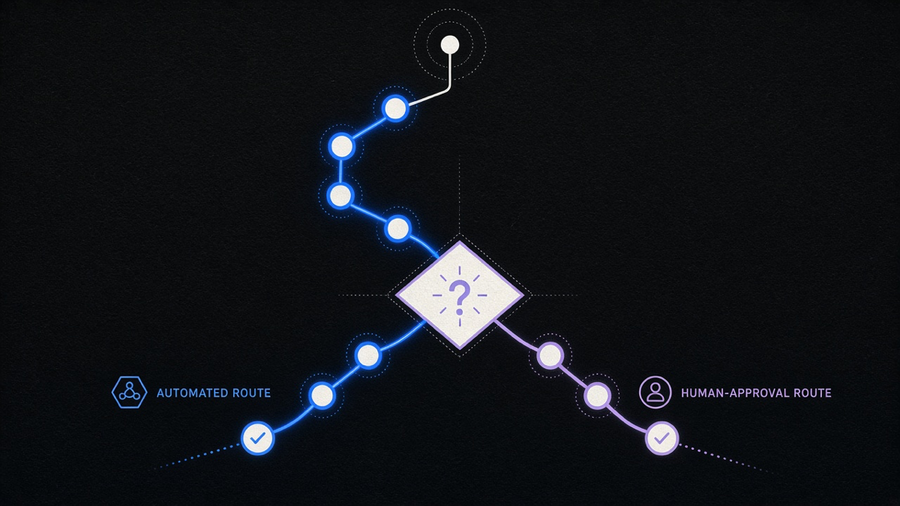
AI workflow automation is a sequence of steps, tool calls, and decision points that an AI agent runs end to end across your systems, not a single prompt answering a single question. Moveworks draws the same line: traditional automation runs on predefined rules and breaks the moment a situation falls outside them, while agentic execution reads unstructured input like an email or a contract, decides what it means, and adapts the next step to match. A new hire’s paperwork moving itself through the applicant tracking system, IT provisioning, and HRIS in one pass is the example Moveworks uses, and it is a fair one. That is a workflow. Asking ChatGPT to draft the welcome email is a prompt.
What AI Workflow Automation Actually Is
The confusion starts because both things get called “AI automation” in marketing copy, and vendors have every incentive to blur the line. A single prompt is stateless: you ask, the model answers, nothing persists. An agent workflow is stateful and sequential. It holds context across steps, calls tools in an order it partly decides for itself, and hands off to a human when the decision is expensive enough to warrant one. Atlassian frames the distinction around operational efficiency: AI workflow automation “uses artificial intelligence to streamline tasks,” but the useful version of that sentence only shows up once you ask which tasks required judgment versus which just required repetition. A rule engine already handles repetition. What changed with LLMs is the judgment part.
That is also the part every vendor site glosses over with a demo, a bulleted list of benefits (efficiency, accuracy, scalability, the same three every time), and a request for your email address. The judgment layer is the actual product. If you already understand what is AI workflow automation at the definitional level, the harder question is which of your workflows have enough decision points to justify an agent instead of a simpler rule.
How Agent Workflows Actually Run
An agent workflow is a loop, not a pipeline. The agent receives a goal, checks what tools it has, calls one, reads the result, and decides whether that result satisfies the goal or triggers another call. Moveworks names the three technologies doing the work underneath that loop: natural language processing to parse the input, machine learning to improve pattern recognition over repeated runs, and robotic process automation to actually execute the click-level actions once a decision is made. None of the three is new by itself. Chaining them into a loop that makes its own next-step decision is the part that is.
Human-in-the-loop is not a compliance afterthought bolted onto the end. It is a decision point built into the workflow at the step where a wrong call costs real money: approving a refund over a threshold, sending an external email under the company’s name, or committing a payment. n8n’s own template library includes a workflow called “Self Improving Email AI Support with Human-in-the-Loop,” which is the honest version of the pattern: the agent drafts, a person approves, and the approval outcome feeds back into how the agent drafts next time. Skip that checkpoint and you have not built a workflow, you have built a faster way to send the wrong email to a client. We handle AI email automation the same way for clients: draft automatically, send only after a person who knows the account has looked at it once.
n8n AI Workflows and What the Templates Actually Look Like
n8n is worth naming specifically because it is one of the few tools built around the node-and-agent model rather than a single-prompt chatbot wrapper. Its own platform lists more than 10,000 workflow templates, and the AI-specific ones are not generic “connect ChatGPT to Slack” demos. The current featured set on n8n.io includes a multi-agent RAG orchestration workflow for document Q&A built on Contextual AI and Gemini, a deep research agent that writes its findings into a Notion report, and a multi-agent executive team workflow that fans a task out across Gemini, Perplexity, and WhatsApp. Each one is a chain of decision points, not a single call.
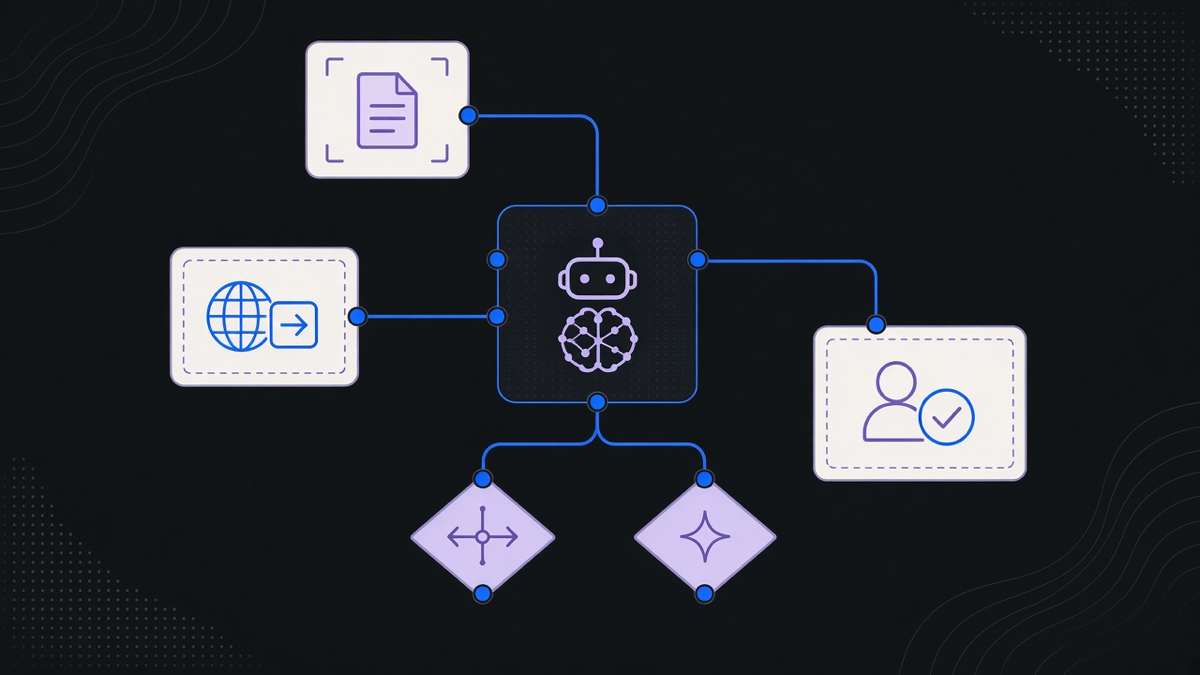
The node model is what makes this legible instead of a black box. An AI Agent node sits in the canvas next to ordinary nodes for HTTP requests, spreadsheet writes, and Slack messages, and you can see exactly which tool it called and why, which is the opposite of a chatbot answer you have to take on faith. That transparency is also the real argument in the n8n vs Zapier vs Make comparison: Zapier and Make are excellent at trigger-then-action chains, but n8n’s agent node was built for the case where the next step depends on what the last one returned, not on a fixed if-this-then-that map. Teamwork’s own tool roundup lists n8n alongside Zapier, Make, and Microsoft Power Automate for exactly this reason, and puts it in the “more technical, more flexible” bracket rather than the plug-and-play one. That tradeoff is real. n8n workflow examples take longer to build than a Zap. They also do more once built.
What AI Workflow Automation Actually Automates
Strip away the vendor language and the named use cases repeat across every source we checked: HR onboarding and offboarding, IT access provisioning, invoice and accounts payable approval routing, customer support ticket triage, and sales lead qualification. Moveworks groups its enterprise case studies into exactly those buckets, HR, IT, and sales operations, because those are the departments with the most repetitive, multi-system handoffs and the clearest audit trail when something breaks. Box’s version of the same list adds document-heavy processes: contract review, compliance checks, and content routing, which makes sense given Box sells storage and lives inside those workflows already.
We built something in the same family for an HR startup client: a system where inbound and outbound activity, including messages from third-party tools, triggered a chain of responses instead of a person manually checking five inboxes. The value was not the AI model. It was that every trigger and every response lived in one auditable flow instead of scattered across whichever tool happened to send the notification. If you want the fuller list of what this looks like in production, n8n workflow examples covers the build-level detail we are skipping here to stay on the definitional side.
Here is the opinion part, not the balanced-both-sides part: most teams should build agent workflows for the handoffs that already have a human doing the exact same five steps every single time, and should not build them for anything that still requires expert judgment on a case-by-case basis. AI is not close to autopilot for the second category. It is very good at the first one, which happens to be most of what actually clogs up a growing company’s operations.
Build vs Buy, and Where AI Workflow Automation Stops
Every enterprise platform in this space, Moveworks, Box, and the workflow-tool comparisons on Teamwork, converges on the same warning: tool sprawl breaks AI workflow automation before the AI itself does. Stitching five point tools together to cover HR, IT, and sales separately creates five places for a workflow to silently fail, and nobody notices until a new hire shows up without a laptop. That is an infrastructure problem before it is an AI problem.
Where you build versus buy comes down to how close the workflow sits to your actual differentiator. A generic approval chain that every company in your industry runs the same way is a buy decision, pick a platform like n8n, Zapier, or an enterprise suite and configure it. A workflow that touches your specific pricing logic, your specific compliance requirements, or your specific customer data model is a build decision, because the off-the-shelf platform was priced and designed for the average case, not yours. Most customers end up using 10 to 20 percent of any given platform’s feature set while paying for the whole thing, which is the same complaint we hear about every all-in-one tool, not just AI ones. Buying the slice you need and building the connective tissue around it usually beats a full platform license, and it is cheaper once you count the seats nobody uses.
The stopping point is judgment that carries legal, financial, or relationship risk if the agent gets it wrong. Refund approvals past a threshold, anything sent externally under your company’s name, and any decision a regulator would ask you to explain later all belong with a person, full stop. We build the workflow automation up to that line and no further, because a system that automates its way past the point where a human needed to sign off is not a workflow anymore. It is a liability with good UX.