


AI email automation is software that reads an incoming message, decides what it means, and acts on that judgment: sorting it, drafting a reply in your voice, or flagging it for a human, without a rule someone wrote in advance telling it exactly what to do. That’s the line that separates it from the older kind of email automation, the trigger-and-template systems that fire a welcome message when someone joins a list. Those systems execute a rule. AI email automation makes a call, and the call can be wrong, which is the tradeoff nobody selling the tools wants to open with.
What AI Email Automation Actually Is
Rules-based automation and AI email automation get lumped together because both run without a person clicking send, but they solve different problems. A rules engine like the kind behind Mailchimp or Klaviyo watches for a specific trigger, a cart sitting untouched for twenty minutes, and fires a specific message. It cannot handle an email it wasn’t configured for. It has no judgment to apply.
AI email automation works on unstructured input instead of a fixed trigger list. Google built this directly into Gmail through Gemini, describing it as software that “retrieves relevant content in Workspace to help write more relevant responses” rather than sending from a static template library, and Google is explicit that your messages are not used to train the underlying model or sold for ad targeting, a distinction Workspace customers ask about before they ask about anything else, per Google’s own Gemini FAQ. That single design choice, judgment over trigger-matching, is what makes the category worth a separate name instead of just being called “email marketing” with a new coat of paint.
This is also where what is AI automation as a broader question gets answered concretely: it is any system that makes a decision a person used to make, based on a pattern it learned rather than a rule it was handed. Email is one of the cleanest places to see that in action because the inbox already produces a constant stream of decisions, reply or ignore, urgent or later, that most people make on autopilot anyway.
What It Actually Automates
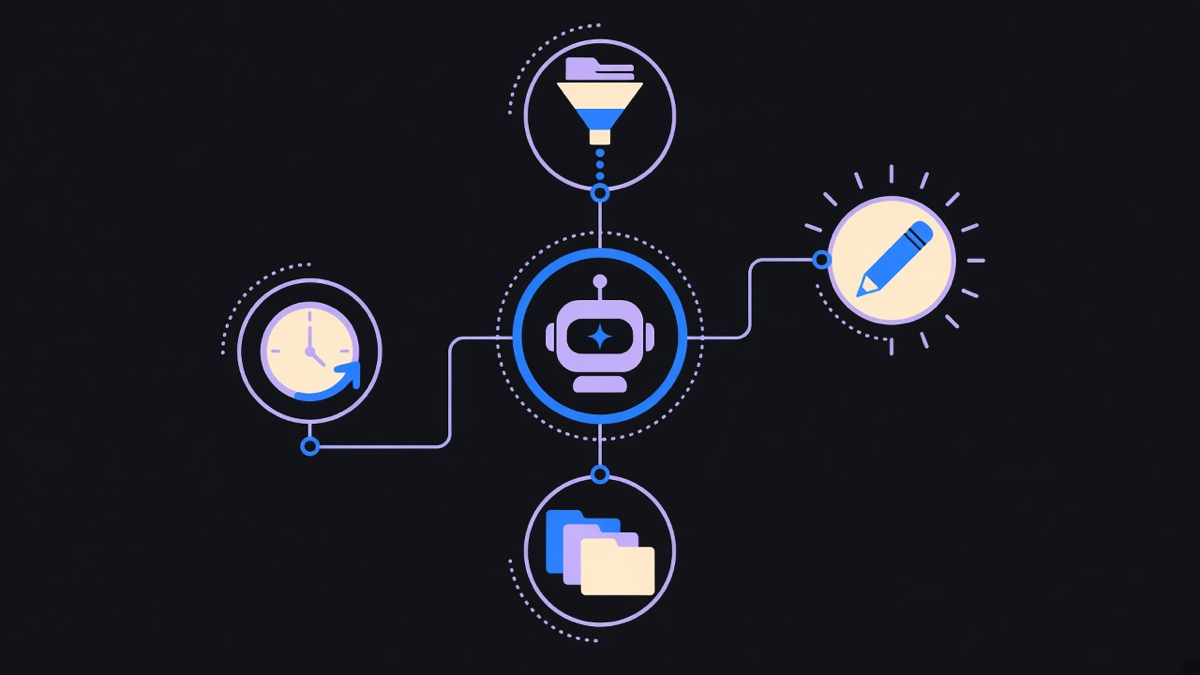
Four jobs show up across every product in this category, and they map almost exactly to the four things a competent assistant does with your inbox before you’ve had coffee.
Triage. Sorting incoming mail by what it actually is, a client waiting on an answer versus a newsletter versus a calendar invite, instead of a keyword filter. Shortwave markets itself directly around this job, positioning its product as software that automates your email rather than just filters it.
Drafting. Writing a full reply in the sender’s own voice and tone, not a canned response with a merge field. Fyxer describes its product plainly on its own site: “AI that writes your email replies, organizes your inbox, and handles follow-ups in your voice.” That phrase, in your voice, is the actual product claim being sold across this entire category, and it is also the hardest one to verify from a marketing page.
Sorting and labeling. Folder and priority assignment that used to require a person to skim the subject line and make a snap call.
Follow-ups. Noticing that a thread went quiet and a reply was expected, then either drafting the nudge or reminding you it’s due. This is the job most rules-based tools cannot do at all, because there is no trigger event, just an absence of one.
None of these four are new tasks. They are the same four things an assistant did by hand for the last twenty years, moved into software that reads the content of the message instead of matching it against a template. A dry way to put it: the software didn’t invent a new job, it just automated the one an assistant was already doing between phone calls.
How It Runs in Production
Under the product name, these tools run as an agent wired to a workflow: a trigger (new email arrives), a reasoning step (the model reads it and decides what kind of message it is), and an action (draft, label, flag, or send). Zapier packaged this exact pattern into a standalone product, describing its offering as building “AI teammates” that combine a model with tools and a defined job, which is a fair one-line description of what every inbox agent in this category is actually doing under the hood, whether it is a paid product or something stitched together in-house.
That framing is also the honest answer to how to build an AI agent for your own inbox instead of buying one: you need the trigger (an inbox webhook or IMAP poll), a model call with the email content and enough context to answer correctly, and a guardrail that stops it from sending anything before a human confirms it, at least at first. We built a version of this pattern for an HR startup client, wiring inbound and outbound email into a system of triggers and responses that also talked to a few third-party tools, without the client adopting a full platform they’d only use a slice of. The AI workflow automation underneath a project like that is rarely one clever model call, it is the plumbing around it, the retries, the logging, the fallback when the model is unsure.
That last part is the real guardrail question. Every vendor in this space quietly ships some version of an anti-hallucination check, because a drafted reply that invents a delivery date or a refund policy is worse than no reply at all. The honest opinion here: AI is not close to inbox autopilot, and treating it that way is how a business ends up apologizing for a commitment its email assistant made up. The tools are excellent at the grunt work, drafting the first pass, sorting the noise, and they still need a human in the loop on anything that commits the business to something. Build vs buy comes down to exactly this: buy when the guardrails are somebody else’s job to maintain, build when your reply logic has to touch a system of record no vendor has an integration for.
Who It’s For
The clearest buyer for AI email automation is the owner or founder running their own inbox, not a marketing team with an ESP already in place. That person is choosing between three options: do it themselves at two hours a day, hire an assistant at a real salary, or run a tool that costs less than a day of that assistant’s pay per month. AI automation for small business usually starts exactly here, in the inbox, because it is the one workflow every operator already touches daily and the payoff is immediate rather than theoretical.
The tradeoff worth naming honestly: a hire brings judgment an AI tool does not have yet, context about a specific relationship, a read on when to bend a policy. A tool brings consistency and never gets tired at 4pm on a Friday. For a solo operator or a small team without the budget for a dedicated inbox manager, the tool is the right call for triage and first-draft replies, with the owner still reading and sending anything that matters. For a growing team fielding hundreds of client threads a day where tone and judgment carry real weight, that’s the point to bring in a person the tool can draft for, not replace.
Real Examples in Practice
Fyxer, Shortwave, and Gmail’s own Gemini integration cover the consumer and small-business end of this category, each targeting the same four jobs with a different balance of automation versus review. Zapier’s Agents product sits a step further back, letting a business wire an email agent into the rest of its stack, a CRM update, a Slack alert, rather than keeping the agent siloed to the inbox alone, which is the honest answer for anyone hunting for zapier alternatives and running into the same core pattern under different branding. Reading a handful of AI automation examples side by side usually reveals the same trigger-reasoning-action loop wearing a different logo each time.
What separates the products that stick from the ones that get uninstalled after a month is not the model underneath, most of them call the same handful of providers. It’s whether the draft it writes sounds like the person who’s supposed to have written it, and whether it knows when to stop and ask instead of guessing. That’s a narrower, harder problem than “automate my email” sounds like from the outside, and it’s the reason this category still has room for a dozen serious competitors instead of one obvious winner.