

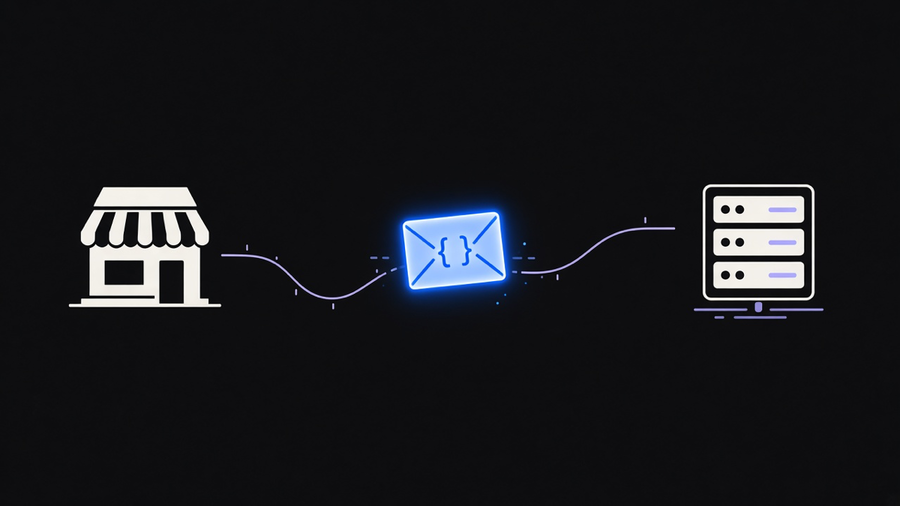
Shopify webhooks tell another system that something just happened: an order came in, a price changed, a customer asked to delete their data. You pick a topic like orders/create, tell Shopify where to send it, and Shopify posts a JSON payload to that URL within seconds. The part most explanations skip is what happens after: the payload has a shape you need to plan for, delivery has a strict timeout and a retry ceiling, and Shopify is explicit that it does not guarantee every event arrives. Building on webhooks means building around that gap, not pretending it isn’t there.
Which Webhook Topics Actually Matter for a Merchant
Shopify’s own developer docs list webhook topics as the mechanism for getting near-real-time data about a shop instead of polling the API on a timer, and the topic list runs into the hundreds once you count every resource and action combination. Most stores only ever need a handful. orders/create and orders/updated cover the operational core: new sales and anything that changes after the fact, like a partial refund. products/update and inventory_levels/update matter if anything downstream needs to stay in sync with the catalog, a price feed, a marketplace listing, a reorder alert. fulfillments/create is the one shipping and 3PL integrations actually wait on, since it fires once a fulfillment record exists rather than when the order itself was placed, a distinction that trips up a lot of first builds.
Then there is a set of topics you do not get to skip if shipping a public app: customers/data_request, customers/redact, and shop/redact are mandatory GDPR compliance webhooks for anything on the Shopify App Store. A private, single-store integration can ignore those. A public app cannot, and Shopify will reject the listing without them. Picking topics is really picking a scope: subscribe to the events your workflow actually reacts to, not the whole catalog Shopify is willing to tell you about. Every extra subscription is another endpoint that has to stay up, get verified, and get monitored, and nobody wants a 2am page because a webhook for a topic nobody reads went quiet.
What a Shopify Webhook Event Actually Looks Like
A topic name is not the event. The event is an HTTP POST with headers and a JSON body, and the headers do more work than most tutorials give them credit for. X-Shopify-Topic tells you which subscription fired. X-Shopify-Hmac-Sha256 is a signature you are expected to verify, not just log. X-Shopify-Webhook-Id (also documented as X-Shopify-Event-Id) exists because Shopify can send the same event twice, and your handler needs to treat a repeat delivery as a no-op rather than a second order. X-Shopify-Triggered-At tells you when the event actually happened, which matters once ordering stops being promised.
The body itself, per Shopify’s own orders/create example, is the same resource representation you would get back from a GraphQL or REST query: order ID, line items, shipping address, payment status, timestamps. That consistency is a genuine convenience. The same code that parses an order from the Admin API can mostly parse an order from a webhook, with one caveat: Shopify’s own security checklist says to verify the HMAC signature before trusting a single field. A webhook you have not verified is just an HTTP request from the internet that happens to look like Shopify.
Delivery, Retries, and the Guarantee You Do Not Actually Get
Here is the detail every vendor comparison buries: Shopify enforces a five second timeout on your endpoint, with a one second connection timeout inside that, and your server must answer with a plain HTTP 200. A redirect counts as a failure. If your endpoint fails, Shopify retries up to eight times over roughly four hours with exponential backoff, then deletes the subscription outright after eight consecutive failures, but only for subscriptions created through the Admin API. Subscriptions declared in shopify.app.toml are not auto-deleted, one more reason config-based subscriptions have become the safer default over ad hoc API calls.
None of that adds up to a guarantee. Shopify’s docs state plainly that delivery is not guaranteed and that ordering within a topic, or across topics touching the same resource, is not guaranteed either. A products/update webhook can arrive before the products/create webhook for the same product. That is documented behavior, not a bug report waiting to happen, and the fix Shopify recommends is a reconciliation job: something that periodically re-fetches the real state from the API so your system self-corrects instead of drifting further out of sync every time a delivery gets dropped. I would not build a payment or inventory workflow on webhooks alone for this reason. Treat the webhook as the fast path that saves you from polling every few seconds, and keep a slower nightly sync as the thing that actually keeps your numbers honest. That costs a second job to maintain, but it is cheaper than explaining to a customer why their refund fired twice because a retry landed on top of the original.
This is also where the event earns its keep once it lands somewhere useful. A webhook that just writes a row to a log never should have been built. The same orders/create payload that triggers a Slack ping can kick off a Shopify Flow automation for no-code teams, or route into the kind of business logic we cover in Shopify automation: tagging a VIP customer, holding a suspicious order for review, kicking a fulfillment request to a 3PL. The webhook is the trigger. What you do with it is the actual product.
Consuming Events Without Building a Full Public App
You do not need an App Store listing to use webhooks. A custom app, created directly in Shopify admin under Settings, Apps and sales channels, Develop apps, gets an Admin API access token and API secret key scoped to your own store, enough to subscribe to any topic your scopes allow. The tradeoff: a custom app’s credentials cannot be rotated. If they leak, you delete the app and start over, fine for a single-store integration, bad for anything managing more than a handful of stores.
Hookdeck’s tutorial on creating Shopify webhooks with the Admin API walks through the whole loop with a real curl command against the webhooks.json endpoint and a local Node server logging deliveries, a more honest starting point than most sample code because it actually shows the HMAC verification middleware instead of describing it in prose. The REST Admin API was deprecated in October 2024, so a tutorial still centered on REST webhook subscriptions belongs in a browser tab labeled for context only. New subscriptions should go through the GraphQL Admin API’s webhookSubscriptionCreate mutation or get declared directly in shopify.app.toml, which also survives a run of failed deliveries without Shopify quietly deleting it.
The realistic path for most merchants who are not shipping a public app is not writing this from scratch. It is standing up one small receiving service, verifying the signature, deduping on the webhook ID, and handing the parsed event to whatever already runs operations, a queue, workflow automation tools, or a straight call into systems you already trust. The webhook is the easy 20% of a Shopify integration. Making sure a dropped delivery does not quietly become a dropped order takes the real engineering time, and that is exactly the plumbing work we help merchants wire it into the rest of the stack once the receiving service exists.
Where Shopify’s Own Documentation Still Leaves You Stuck
Shopify’s docs are honest about limits (no ordering guarantee, no delivery guarantee, a hard five second timeout) but thinner on the operational side: what happens when an endpoint is briefly down for a deploy, how to size a queue so a burst of Black Friday orders does not blow the five second budget, or how to decide which reconciliation cadence is actually safe instead of periodically. The documentation tells you the rules of the system. It does not tell you how to run a receiving service that survives a real launch day, and that gap is where most webhook integrations actually break, not in the initial subscription setup every tutorial covers in detail.
Shopify is also building a successor, Events, described in its own developer docs as the next-generation subscription mechanism, currently in developer preview for a subset of topics and able to run alongside webhooks in the same shopify.app.toml. That is not a reason to hold off on webhooks today, since Events covers only a fraction of topics and is not a stable target yet, but it is a reason to keep handler logic separate from transport logic. Whatever migrates first should not force a rewrite of the code that actually does something with the order.
If you are deciding whether to build this yourself or wire it through the Shopify developer API directly, the honest framing is that webhooks are not the hard part. Verifying signatures, deduping retries, and reconciling missed events are, and that work is the same at four subscriptions or forty.