

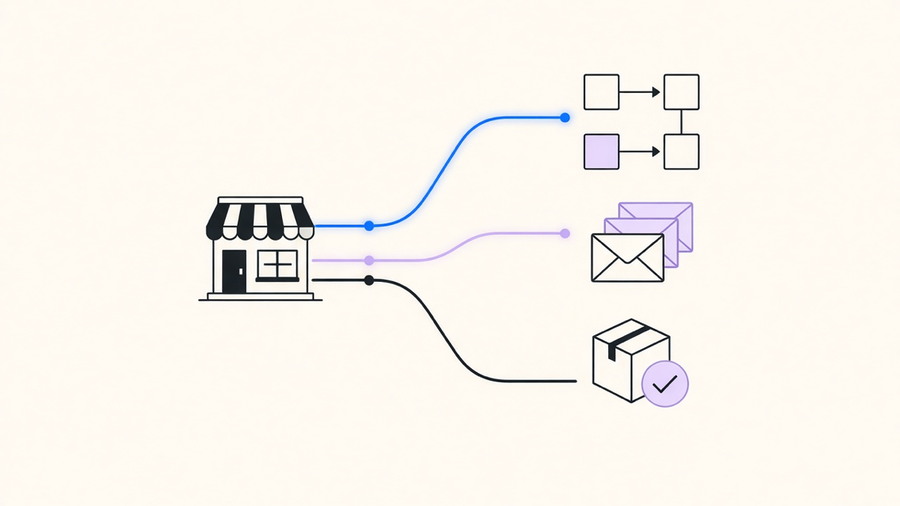
Shopify automation is not one product. It is three separate layers that get talked about as if they were interchangeable: Shopify Flow for rule-based store logic, Shopify Email and the messaging tools for marketing sequences, and order operations like fulfillment routing, tagging, and cancellations. A store owner searching “Shopify automation” usually means one of the three, and picking the wrong layer is why half the “automation setup” tutorials online do not match what actually shows up in the admin.
What Shopify Automation Actually Covers
Shopify Flow is the native workflow builder. It runs on a trigger, condition, action structure: a customer places their fifth order, tag them as VIP, notify the fulfillment team. It lives inside the Shopify admin, ships free on most plans, and covers store logic that never leaves Shopify’s own data, like inventory thresholds, order tagging, and draft order creation. Shopify Email and Shopify Messaging cover the marketing layer: welcome sequences, abandoned cart recovery, win-back campaigns, the stuff most people actually mean when they say “Shopify marketing automation.” Order operations sit apart from both. Fulfillment holds, cancellation rules, and return routing are automatable, but they usually need either a Flow workflow chained to a fulfillment app or a private app talking to the Admin API directly, because the built-in triggers do not cover every edge case a real order queue produces.
The confusion is understandable because Shopify’s own marketing frames all three as one connected system. Every automation, regardless of layer, runs on the same three components: a trigger that starts the workflow, a condition that filters who qualifies, and an action that fires. A welcome email and an inventory threshold alert are built the same way under the hood. What differs is which admin panel you open to build it, and that is the part most guides skip past on the way to a listicle of ten email flows.
Shopify Marketing Automation: The Flows That Actually Move Revenue
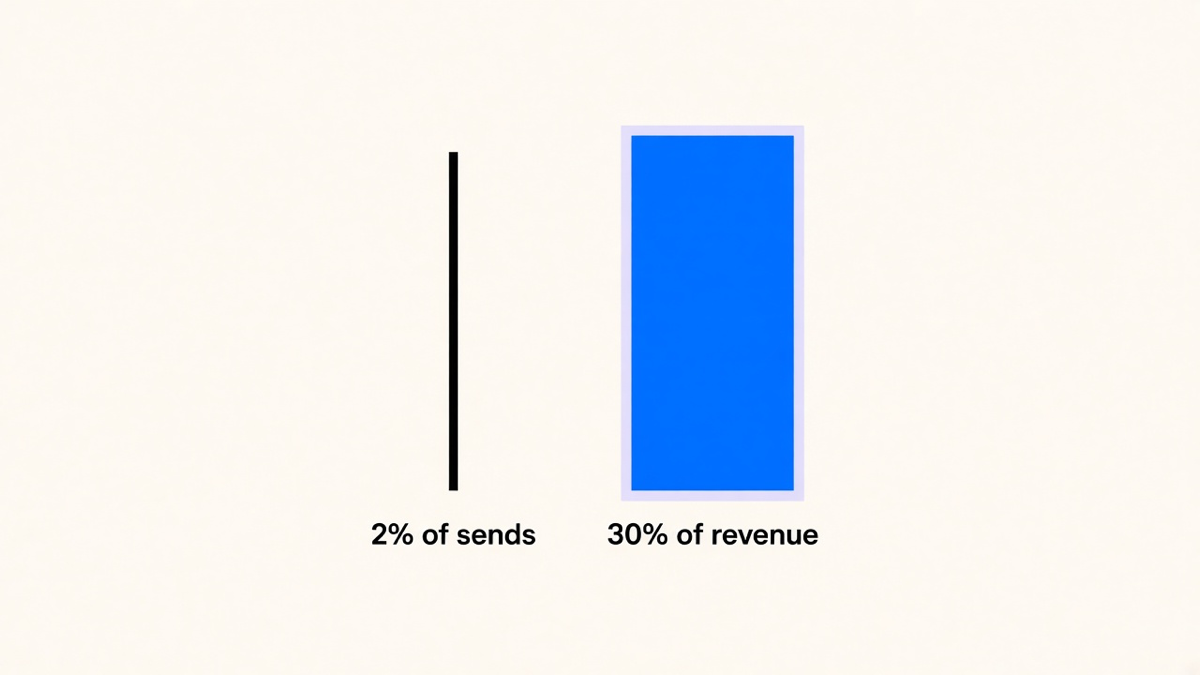
This is where the data gets specific instead of aspirational. According to Omnisend’s 2026 Ecommerce Marketing Report, automated emails made up just 2% of total sends in 2025 but drove 30% of all email-attributed revenue, earning roughly 16 times more per send than scheduled campaigns. That is not a marginal edge. A channel getting 16x the return on 2% of the effort is the rare case where the vendor pitch and the actual number line up.
The individual flows back that up. Klaviyo data cited in Shopify’s own automation guide puts welcome series at a 51% average open rate, 15% click rate, and placed-order rates near 10%, with nearly 48% of flow-driven email revenue on the platform coming from new buyers versus 16% from one-off campaign sends. Abandoned cart recovery runs a 50.5% average open rate with a 3.33% conversion rate, and top-performing brands push that past 7.69%. Baymard Institute puts the stakes plainly: 70.22% of shoppers who add something to a cart leave without buying, and the institute estimates ecommerce brands could recover $260 billion in lost orders through better checkout design and recovery sequences. Abandoned cart automation is the direct tool for clawing back a slice of that number, not a nice-to-have flow buried on page three of an app’s dashboard.
Setting these up inside Shopify starts with a subscriber list, and that list is only as good as the form collecting it. Shopify forms feed every downstream flow, so a leaky signup form upstream quietly caps every automation built after it, no matter how good the email copy is.
Shopify Email Templates: Start From the Job, Not the Layout
Most “Shopify email template” searches are really a request for a starting point, not a design lesson, and the fastest way to waste an afternoon is to pick a template before deciding which job it needs to do. A welcome email template should close the gap between signup and first purchase and gather first-party data for segmentation, nothing more. An abandoned cart template needs the product image, the price, and a single clear action, not three competing calls to action fighting for the same click. A post-purchase template should set expectations on shipping and open the door to the next order, which is a different job than a review request template, even though stores routinely merge the two into one email that does neither well.
Shopify’s native email editor ships default templates for each of these jobs already mapped to a trigger, which is the underused part of the tool. Duplicate the template that matches the job, adjust the copy and imagery, and the trigger logic underneath does not need to be touched at all. Teams that build a template first and try to reverse-engineer the trigger later end up with sequences that look right in the preview and fire at the wrong moment in production, which is a bug nobody notices until a customer replies asking why they got a birthday email in March.
Where Shopify Fits Inside Broader Ecommerce Automation
Zoom out past the Shopify admin and marketing automation is only one piece of what a growing store needs automated. Order operations, inventory sync across channels, customer service triage, and reporting all sit under the same “ecommerce automation” umbrella, and Shopify Flow only covers the part of that stack that stays inside Shopify’s own data model. The moment a store sells on a second channel, needs custom fulfillment holds based on fraud risk, or wants order data flowing into a separate reporting tool, Flow’s native triggers stop being enough on their own.
This is usually where order management automation gets built as a layer on top of Flow rather than a replacement for it: Flow handles the simple tagging and notification rules, while a connected app or custom integration handles the parts that need logic Flow was never built to express, like multi-warehouse routing or held payments pending manual review. Treating order ops as a Flow extension instead of a separate project is the difference between a workflow that scales with order volume and one that needs to be rebuilt every time the business adds a sales channel.
When Native Tools Are Enough, and When to Add an Integration Layer
Most Shopify stores only need 10 to 20% of what a full marketing automation platform offers, and Flow plus Shopify Email already covers that slice for free. Buying Klaviyo or Omnisend before hitting the limits of the native tools means paying a monthly platform fee for features that sit unused in a dashboard nobody opens. The honest advice is to run native automation until a specific, named limitation shows up: cross-channel inventory sync, SMS at scale, predictive send-time optimization, or order logic too custom for Flow’s condition builder. That limitation, not a competitor’s feature list, is the actual signal to add a layer.
When that signal does show up, the choice is between a pre-built connector app and a custom integration, and the right answer depends on how specific the workflow is. A connector app works when the need matches what the app already does out of the box, like syncing a review platform to Klaviyo. A custom workflow automation build earns its cost when the process is specific to how the business actually operates, like routing high-risk orders through a custom fraud check before fulfillment, the kind of work that looks a lot like general business process automation once Shopify is just one system among several in the stack. The cost of getting this backwards runs both ways: buying a platform too early wastes budget on unused seats, and building a custom integration for a job a $30 app already does well just burns a development cycle nobody needed to spend.
The decision that actually holds up over a year is scoping to the named limitation in front of you, not the roadmap you think the business might need eighteen months from now. Automation that matches today’s actual order volume and actual workflow gaps keeps working after the store outgrows this quarter’s plan. Automation bought against a hypothetical future usually gets rebuilt anyway once that future arrives looking different than expected.