

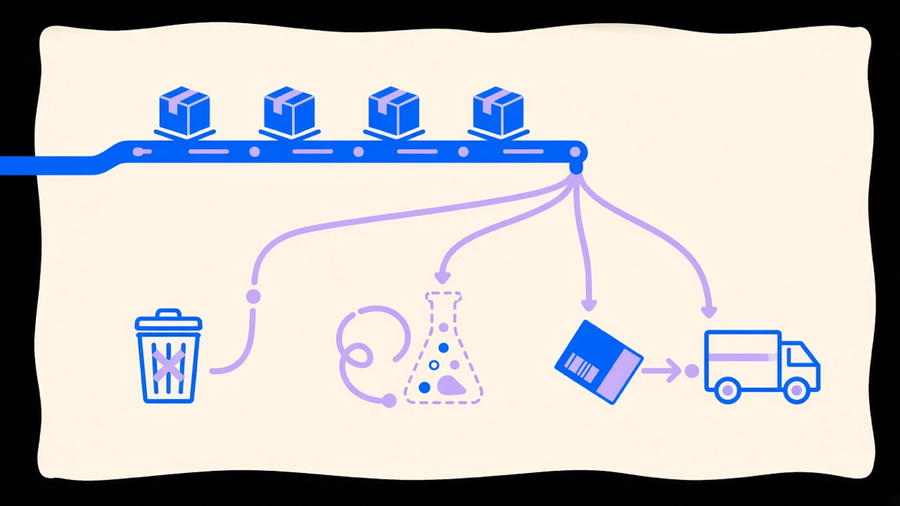
Shopify order management is the set of actions you take on an order after it lands in your admin: canceling it, testing your checkout with a fake one, and fulfilling the real ones with a shipping label and a tracking number. Each action has a distinct trigger and a distinct outcome, and the most common support ticket in a growing store is an employee picking the wrong one, usually refunding an order that should have been canceled, or canceling one that already shipped.
Cancel, Refund, and Void Are Three Different Buttons
Canceling an order stops it from processing further. Refunding an order sends money back to a customer who already paid. Those are two separate actions that get treated as one because they often happen together, but the distinction matters for your books and your support team. As Rich Returns puts it, refunding means returning payment for orders where payment was captured, while canceling means stopping the order at your or the customer’s initiative, and when payment has already been collected, cancellation forces a refund decision on top of it (blog.richreturns.io). If payment was authorized but never captured, cancellation just releases that hold. No money ever moved, which is the closest thing Shopify has to a void.
The reasons to cancel cluster into a short, predictable list: stock that was oversold, a quality defect caught before shipping, a customer who ordered the wrong size, and suspected fraud (tevello.com). Shopify actually flags that last one for you, marking suspicious orders with an exclamation point next to the order number so a fraud review does not depend on someone noticing a mismatched billing and shipping address by eye (blog.richreturns.io). Worth knowing before you write a cancellation policy: you cannot cancel a fulfilled order without first canceling the fulfillment itself, and orders sitting in a “Payment pending” state can also block the cancel button, which is exactly the moment a busy support rep tries it anyway and files a bug report against a feature that is working as intended.
What happens after you cancel depends on where the order stood. Paid but unfulfilled means you choose a refund path, full refund to the original method, store credit, or “refund later” for a partial amount you still need to sort out. Fulfilled but not yet paid means you cannot collect that payment anymore, so the item comes back through your returns process instead. Unpaid and unfulfilled just gets archived. Rich Returns notes refunds typically clear in five to ten business days once issued, while the cancellation itself takes as little as ten minutes of staff time when the order status cooperates (blog.richreturns.io). Anyone building a customer-facing cancellation policy should quote the payment-processor timeline, not the ten minutes, because that ten minutes is the part your team controls and the five to ten days is the part your customer is actually waiting on.
Automating the Cancel Path Without Losing the Judgment Call
The tension worth naming here: most stores automate too little of this and then compensate with more headcount, but the small number that automate all of it end up with a system nobody can explain to a new hire. Tevello’s own guidance leans toward using Shopify Flow and automation apps to trigger cancellations on predefined conditions like suspected fraud, and that is the right instinct for the pattern-matched cases. A newer entrant like Revize pushes further, giving customers a self-serve cancel-or-edit portal inside a merchant-set window before fulfillment, with a Shopify Flow-built hold of thirty to sixty minutes buffering every new order before it drops to a warehouse (revize.app). That buffer is a genuinely good idea for a store shipping same day, because it turns “we already shipped it” from a support nightmare into a rare edge case instead of the default outcome.
Automate the fraud flags and the pre-fulfillment window. Keep a human on anything involving a partial refund decision or a customer dispute, because that is judgment work, not pattern matching, and no rule engine reads tone in a complaint email. This is the same argument for Shopify automation generally: it handles the repeatable 80% and leaves the exceptions to a person who can actually weigh them.
How to Place and Read a Shopify Test Order
A test order exists to answer one question: does your checkout, payment flow, and fulfillment notification actually work end to end, before a real customer finds out the hard way. You place one using Shopify’s test payment mode rather than a live card, walk through checkout exactly as a customer would, and then check three things in the admin: did the order land with the right line items and totals, did the confirmation email fire, and did it route into whatever fulfillment or inventory automation you have wired up.
The mistake stores make with test orders is treating the setup as a one-time chore instead of a recurring check. Every time you add a new payment method, change a shipping rate, install an app that touches checkout, or update a Flow workflow, that path needs a fresh test order, not a shrug and an assumption that nothing broke. The second mistake is letting a test order slip into real reporting. Archive or cancel it immediately after you confirm what you needed to confirm, because a test order sitting in your order list quietly skews your average order value and your fulfillment count, and nobody catches that until a monthly report looks off by one weirdly specific number.
Placing the order is the easy half. Reading it correctly, meaning knowing what a passing test actually proves versus what it doesn’t, is the part that takes someone who understands your specific checkout, not a generic checklist copied from a help article. That is the same limit AI-assisted automation runs into everywhere else in a Shopify stack: it can run the repeated test and flag a broken trigger, but it still needs a person who knows what “correct” looks like for this store.
Fulfilling Orders: Mark, Ship, and Partial-Fulfill
Fulfillment is the operational payoff of everything above. Once an order clears cancellation risk and your checkout has been proven with a clean test order, the real order needs a label, a tracking number, and a status update the customer can see. Marking an order fulfilled tells Shopify the item shipped, and attaching a tracking number is what actually closes the loop for the customer, since a fulfillment marked complete with no tracking reads to a shopper as a status update, not proof anything moved.
Partial fulfillment covers the order that cannot ship as one unit, a backordered item alongside three in-stock ones, or a split across two warehouses. Fulfilling the available items now and the rest once stock lands keeps the order from sitting frozen waiting on the slowest item, and it keeps your inventory management numbers honest instead of parking committed stock against a shipment that has not actually gone anywhere.
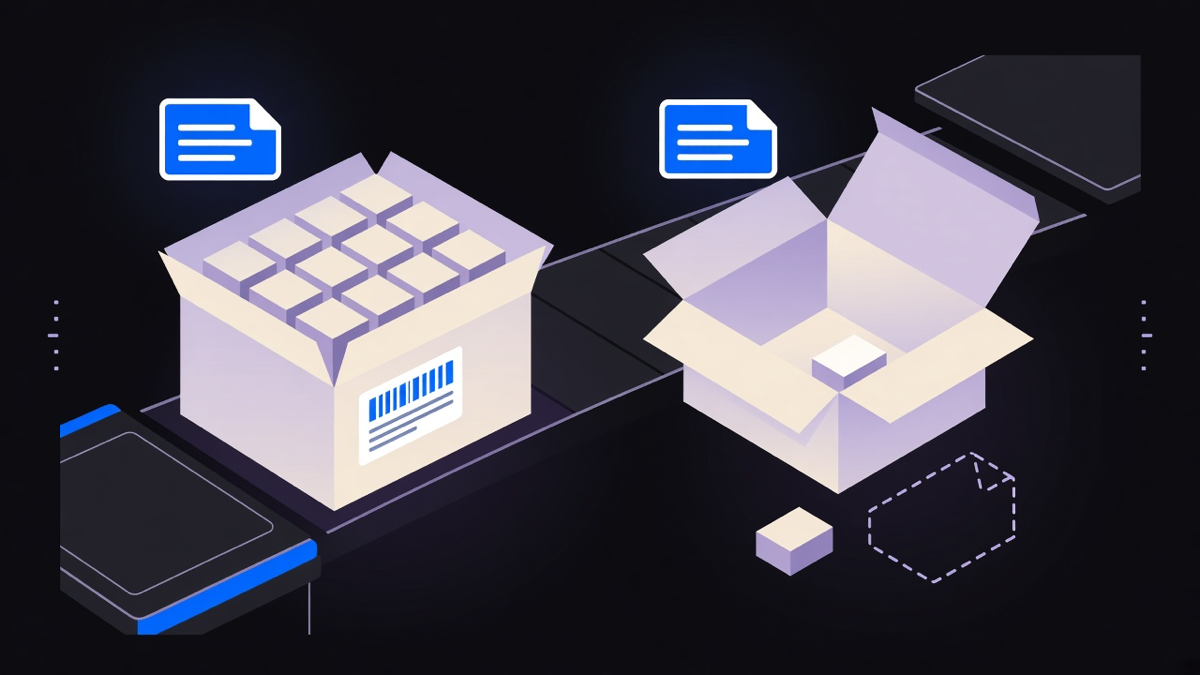
The apps promising to automate fulfillment end to end are worth real scrutiny before you install one. Most stores only need automated routing for the two or three scenarios that actually recur, oversold items, multi-location splits, and orders flagged for fraud review, not a full platform replacing the built-in fulfillment screen. A half-configured app doing all of it usually creates more order exceptions than it prevents, because the edge cases it was never tuned for still land in a queue somewhere, just a queue with worse visibility than the native admin gave you.
Buying the full platform before you have hit a named limit on the built-in tools is the same mistake stores make with marketing automation: paying a monthly fee for a dashboard that sits mostly unused while three specific problems, the ones actually costing time, stay unsolved because nobody scoped the fix to them directly. Cancel, test, and fulfill are three separate skills built on the same order object, and treating them that way, distinct rules with a shared record, is what keeps the queue moving instead of turning every order into a judgment call from scratch.