

Search for CRM examples and you get three different answers stapled together: a list of named software (Salesforce, HubSpot, Pipedrive), a list of use cases (sales pipeline, support ticket routing, marketing follow-up), and a handful of vendor case studies dressed up as proof. All three are real. None of them alone answers what someone means when they ask “is this a CRM or just a nicer spreadsheet.” That question comes down to whether a tool tracks state and history for a specific record, a lead, a deal, an account, or whether it just holds a list of names. This post covers the actual software people mean, the use cases those tools run, what a CRM record contains that a spreadsheet row doesn’t, and the tell that separates a working CRM from an expensive one nobody opens.
Named CRM Software and System Examples
When people search “crm software examples” they usually want names, not theory. The commonly cited set includes monday CRM, Salesforce, Zoho, HubSpot, and Pipedrive, with entry pricing on that list running from around $12 to $25 per user per month. That range alone should tell you the category spans a lot of ground: a five-person shop and a 200-seat sales org are not shopping for the same product, even when both call it a CRM.
Where it gets messier is Pipedrive’s own framing of “examples of CRM platforms,” which lists Pipedrive alongside Excel and Trello. A spreadsheet and a kanban board sitting next to a purpose-built CRM in the same list is not a mistake, it is an admission that most small teams start their CRM life in a tool that was never meant to be one. Zapier’s definition draws the line better: a CRM is software that centralizes customer and prospect data so sales, marketing, and support can manage interactions, deals, and relationships from one place, not just a name and a phone number. By that definition, Excel counts until the day someone opens three different versions of the file and can’t tell which one is current, which is usually the same day someone starts shopping for sales force automation instead.
Salesforce’s own “CRM examples” page skips the multi-vendor comparison entirely and goes straight to customer implementation stories, which is a different kind of example and worth naming as such before you read one and expect a product roundup.
System Examples: What the Software Actually Does Day to Day
The use-case version of a CRM example looks like this. Siemens runs 18,000 sellers, resellers, and partners through one CRM, after a period of generating 2,800 unqualified leads a week that a human had to sort by hand; the current setup qualifies leads and handles initial outreach automatically, in minutes instead of days. Grupo Falabella resolves 60% of WhatsApp service inquiries without a human touching them, and rates 70% of those automated conversations four or five stars, which is a better hit rate than most human-staffed chat queues manage on a bad Tuesday.
Smaller companies report the same pattern at a smaller scale. Ari Motors moved off spreadsheets and reported a 10x increase in inquiries and sales after centralizing buying history in one record. AppAgent doubled headcount from 15 to 30 after building out a pipeline CRM, and Key Search built more than 100 automations and noticed the time savings immediately, not after a quarter of adjustment. Treat every one of these as “this company reported,” not as a guarantee, since they’re all vendor case studies with an obvious incentive to look good. The pattern across them still holds: the win comes from one system holding the full history of a lead or account, not from any particular brand’s dashboard.

If you want the mechanism behind that lead-routing example specifically, lead routing is one of the cleanest cases where a CRM event, not a person, decides who gets the lead and when.
Examples of CRM Databases: What’s Actually in a Record
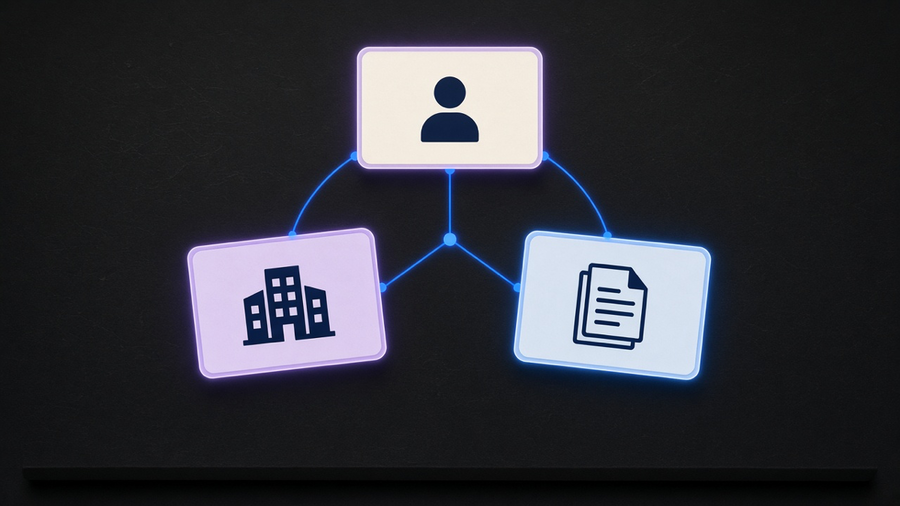
“Examples of CRM databases” sounds like a request for a schema diagram, but the searcher almost always wants to know what fields matter, not how a database administrator would model them. A usable CRM record includes contact details, a history of every interaction, current deal status, and internal notes, plus a link from the person to the company they work for. That last part sounds obvious until you’ve seen a spreadsheet where “Kyle” exists as a floating name with no company attached, and three people on the sales team are independently guessing which Kyle it is.
Compare that to a spreadsheet row, which is the honest baseline most teams start from. A spreadsheet has no real-time sync across users, no activity history showing who changed what and when, no automated follow-up, and no dashboard that updates itself. A CRM record has all four, and the fourth one, the dashboard, is the reason a sales manager can look at pipeline health without asking anyone to compile it. Airtable’s own research puts a number on the cost of skipping this: data silos cost employees around 12 hours a week hunting for information that should have lived in one place. That’s a day and a half of a work week spent finding things instead of doing things, which is a strange line item to accept quietly.
I’d tell most teams under twenty people to skip the platform-shopping exercise and pick whichever tool gets every rep to actually log an interaction the same day it happens, even if that tool is missing three features from the comparison chart. A CRM with gaps that people use beats a complete one that people route around, and the record is only as good as what got typed into it.
Telling a Real CRM From a Spreadsheet With a Login Screen
Buying a CRM does not guarantee anyone stops using spreadsheets. Plenty of teams pay for a CRM license and still run deals in a shared sheet because the CRM is clunky or built around a workflow nobody on the team actually follows, which means the spreadsheet was never the problem in the first place. The tell is not whether the tool has a login screen or a mobile app. It’s whether a stalled deal shows up somewhere other than someone’s memory, and whether a rep can see what happened on an account before they call it.
Vendors now frame adoption cost honestly enough to be useful here: implementation, training, and ongoing admin can run two to three times the subscription cost in year one, and a rollout commonly takes three to six months with a half to full-time person managing it. That’s a real number to plan around before signing anything, not a scare tactic. It’s also the reason how to use CRM software day to day matters more than which logo is on the login page. The newer, better question sales leaders are asking isn’t “does it have every integration,” it’s “will the team actually open this every day,” and that question filters out more bad purchases than a feature comparison ever will.
If you’re still deciding which category of CRM fits your team before picking a specific product, types of CRM with real examples is the faster read, and the broader case for connecting a CRM to the rest of your stack lives in CRM automation.