


The clearest business process automation examples share one trait: they replace a specific handoff between two systems, not a whole department at once. Employee onboarding that fires ten setup tasks the moment HR marks a candidate hired. An invoice that gets matched, approved, and paid without sitting in someone’s inbox for two weeks. A support ticket that routes itself to the right queue before a human reads it. None of these are exotic. All of them are what people actually mean when they type “process automation examples” into a search bar, hoping for something more specific than a vendor’s feature list.
HR Onboarding: From Manual Triage to a Trigger-and-Response System
Onboarding is the example every BPA vendor leads with, and it earns the spot. A new hire touches payroll, IT provisioning, benefits enrollment, and a handful of internal announcements, usually coordinated by someone copying the same checklist into a new spreadsheet row each time. We built exactly this kind of system for an HR startup client: every inbound and outbound activity, previously handled through manual triage, got rebuilt as a set of triggers and responses that fired automatically, including handoffs to third-party vendors the company didn’t control directly. Nobody on that team touches a spreadsheet to onboard someone now.
The part worth naming is what made it work: the trigger design came from watching the existing manual process closely enough to know which steps actually depended on a human judgment call and which ones were just copying data forward. Skip that step and you automate the wrong half of the process, which is a slower way to end up back where you started. If you’re weighing business process automation tools for this exact job, the tool matters less than whether someone mapped the real trigger conditions first.
Accounts Payable: The Invoice That Pays Itself
Invoice processing shows up on every top-use-case list for a reason: it is genuinely one of the most repetitive, highest-volume workflows in a finance department, and it is easy to point at the before-and-after. An invoice arrives by email, gets matched against a purchase order, routed for approval based on amount and department, and paid, all without a person retyping a single line item. Automating this well means accounts payable automation that handles matching and routing, then escalates only the invoices that actually need a human decision, like a mismatch or an unusual vendor.
That escalation piece is the part most invoice-automation pitches skip past. A tool that auto-approves everything is not automation, it is a liability with a nicer interface. The correctly scoped version routes 90% of invoices straight through and puts the remaining 10% in front of the person who should be looking at them anyway. Getting that split right is slower to build than a blanket auto-approve rule, and it is the difference between an AP process that survives an audit and one that gets a headline written about it.
Sales and Lead Routing: CRM Automation That Actually Follows Up
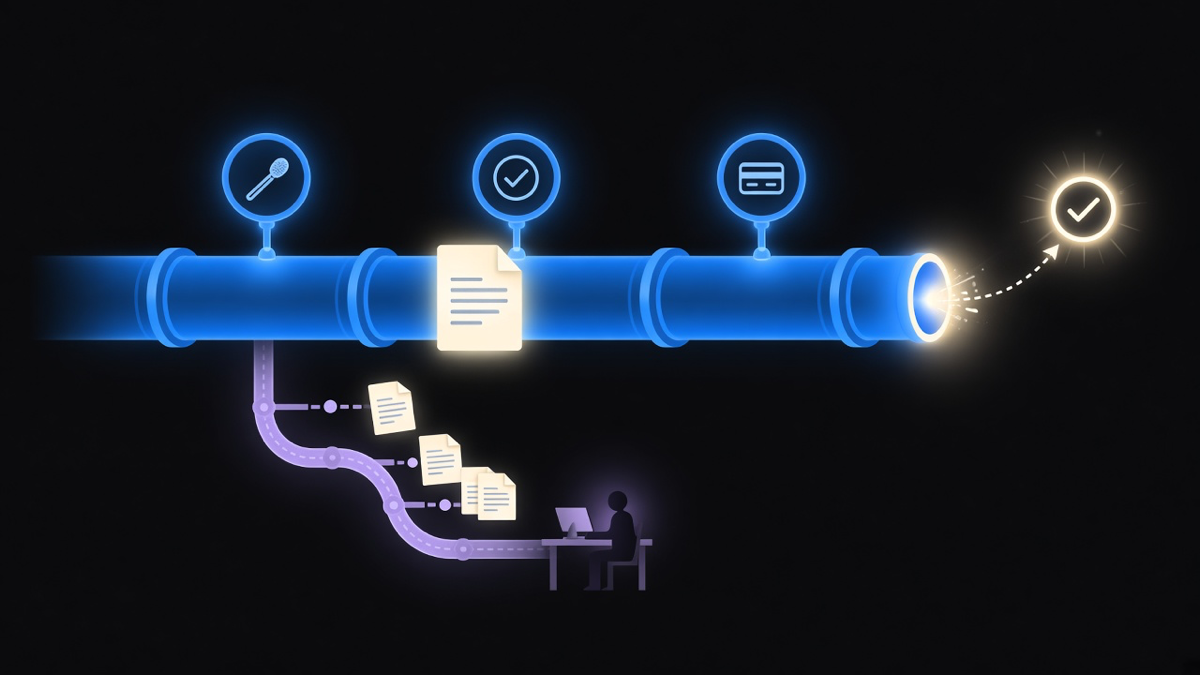
A lead fills out a form. It should reach the right rep, with the right context, inside minutes, not sit in a shared inbox until Monday. That is the sales version of process automation: a CRM event triggers a routing rule, a follow-up sequence, and a task assignment, all without a sales manager manually reassigning leads by hand every morning. We’ve seen the failure mode of skipping this often enough to have an opinion on it: most operators don’t have the time to chase cold leads with a generic template, and a routing system that just fires the same email to everyone regardless of source performs worse than a human doing it badly, because at least the human notices when it stops working.
The fix is not more automation, it is narrower automation. Route by source and intent signal, not just by round-robin assignment, and let a human take over the moment the lead looks like it needs a real conversation instead of a sequence. Naturally, this is also the section where a lot of platforms sell you the entire CRM to solve a problem that was really just a missing routing rule. Most customers only need 10 to 20 percent of what a full CRM platform does, and they end up paying for the other 80 percent because nobody scoped the actual job before buying the software.
Customer Support Ticket Routing and Deflection
Support is where what process automation is becomes easiest to see in practice: a ticket comes in, gets classified by topic and urgency, routes to the queue that owns it, and, for the genuinely simple cases, gets resolved without a human touching it at all. A password reset request does not need a support engineer’s attention. A billing dispute does. The automation’s entire job is telling those two apart correctly and fast enough that the customer never notices a delay.
This is also where AI earns its place in the conversation instead of just its buzzword slot. Classifying an incoming ticket by intent is a pattern-recognition problem, which is where a model helps, while the actual routing and resolution steps stay rule-based and auditable. That split, AI for judgment, rules for execution, is the same one worth applying anywhere you’re comparing process automation software options: check which parts of the tool are actually making a judgment call versus just moving data along a path someone already mapped.
Reporting and Data Automation: Dashboards Instead of Manual Pulls
The least glamorous example on this list, and arguably the one with the best return, is reporting. A marketplace platform we partnered with was a market leader with almost no usable product intelligence, most of it acquired manually when someone remembered to pull it. We added event tracking at the points that actually mattered and built out reporting that ran itself. Within 90 days the team could see which flows converted, which features people actually used, and which assumptions had been wrong the entire time nobody checked. A separate founder we worked with had the same gap in a smaller form: every business insight lived in Google Sheets, updated by hand. We replaced the manual pulls with configured dashboards and alerts that surfaced the numbers in real time instead of whenever someone remembered to open the sheet.
Neither of those examples involved a dramatic new tool. Both involved deciding, deliberately, what was worth tracking before building anything to track it. That decision is the actual work; the dashboard is just where the answer shows up.
Across all five examples, the pattern holds: a business process automation example is not one task getting automated, it is an entire handoff or cycle running end to end across systems, which is a different, larger claim than a single Zapier trigger or Excel macro. If you want the fuller breakdown of examples vs workflow vs BPM and where each term actually applies, that distinction changes which automation you should be scoping first. Our own delivery numbers back up why the scoping step matters more than the tool: we average seven days to a first working proof of concept and land on budget on 94% of projects, and both numbers come from starting with the process, not the platform.
Pick one of these five that maps to a process you’re still doing by hand, and start there. Onboarding, invoicing, lead routing, support, and reporting are not five unrelated projects. They are the same underlying question asked five times: which handoff in this business still depends on someone remembering to do it, and what happens the day they forget.