

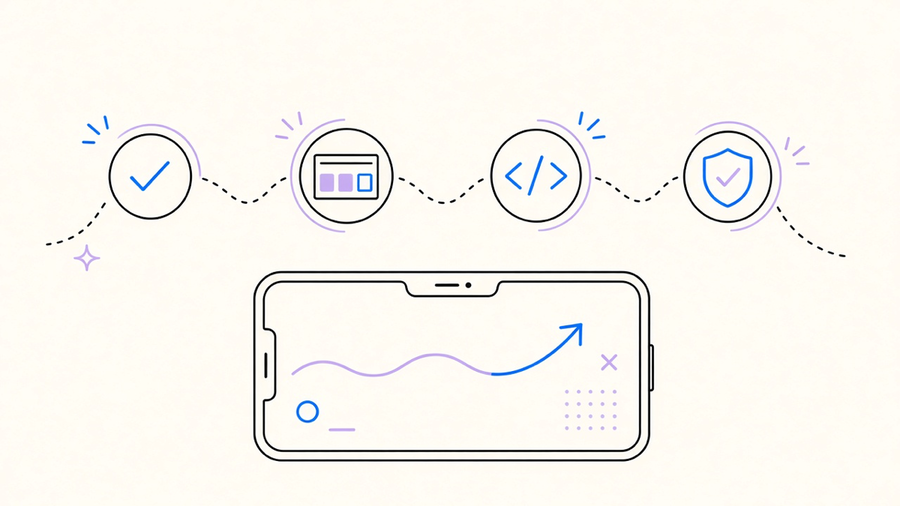
The mobile app development process runs from a scoping conversation to a live listing in the App Store or Google Play, and it does not end at “the code works.” A 10-stage breakdown from LANSA’s lifecycle guide puts research, requirements, feasibility, wireframes, prototyping, UI design, development, testing, deployment, and maintenance in that order, and most teams who skip straight from “idea” to “build” end up redoing the stages they thought they could shortcut. If you are asking how to make a mobile app, the honest answer involves two things most pitch decks leave out: picking a build shape before anyone writes a line of code, and treating the app store as a gate with its own calendar, not a formality at the end.
The stages, from idea to store listing
Mobile app development starts with research and a requirements pass, not a Figma file. Before design work begins, someone has to decide what the app actually needs to do, for whom, and on which platforms, because that decision changes the engineering plan underneath it. Only after that does the sequence move into wireframes, then prototyping, then development, then testing, then deployment and maintenance.
The part agencies gloss over: deployment is not “upload the build.” Apple requires an active Apple Developer Program membership before you can touch App Store Connect, TestFlight, or a public listing. Google requires a Play Console developer account and a one-time $25 registration fee, and personal accounts created after November 13, 2023 cannot reach production without first running a closed test. Neither of those is a design task or an engineering task. They are account setup and policy compliance, and they sit on the critical path whether your roadmap mentions them or not.
This is also the point where the architecture decision from step one starts to matter, because native, cross platform, and hybrid apps hit the store review process differently in practice even though the submission rules are the same on paper.
Native, cross platform, or hybrid: picking the build shape
Native, cross platform, and hybrid are not three names for the same thing with different marketing. Native Android work runs on Kotlin or Java in Android Studio. Native iOS runs on Swift or Objective-C in Xcode. Cross platform frameworks, React Native among them, share logic and UI code across both platforms and, per JetBrains’ own comparison, can reuse somewhere between 60% and 95% of the codebase depending on how much platform-specific work the app needs. React Native specifically compiles its JavaScript UI into real platform views, a UITextView on iOS or a TextView on Android, not a web page wrapped in a frame. Hybrid apps are the frame: HTML, CSS, and JavaScript running inside a native shell, which gets you to a demo fast and gives up performance and deep device integration to do it.
We built a custom iOS app for a funded startup that needed to run in a HIPAA-compliant environment with live video calling. That one was native by necessity: camera and microphone handling, encryption, and compliance requirements left no room for a shared-codebase shortcut. Most apps are not that app. If your product is a form, a feed, a booking flow, or a dashboard with a few device integrations, react native app development gets you one codebase, one team, and a faster path to both stores, and that is the default we recommend unless there is a named technical reason not to. The cost of that recommendation is real: you give up some native-feel polish and you occasionally hit a library gap that native wouldn’t have. For most product teams, that trade is worth it. For the HIPAA video call app, it would not have been.
Picking between those three shapes is a scoping decision, not an engineering afterthought, which is part of how we scope a mobile app before a single sprint starts.
Agile sprints vs the waterfall diagram
Most agency blog posts about mobile app development process still draw a straight line: design, then build, then test, then launch. That is a waterfall sequence, and IBM’s own comparison describes waterfall as linear stages with heavy upfront documentation and limited client contact until late in the project. Agile mobile app development does not remove any of those stages, it runs design, build, and test inside the same sprint, every sprint, instead of as three sequential phases.
The Scrum Guide defines a sprint as a fixed window of one month or less, with planning capped at eight hours, a fifteen minute daily standup, a review capped at four hours, and a retrospective capped at three hours for a full month-long sprint. Every increment has to meet a Definition of Done inside that window, which means a sprint that only produces design mockups or only produces untested code has not actually finished anything. It is funny how many of those same agencies will tell a prospective client “we’re agile” in the sales call, then hand over a ten-box waterfall diagram in the proposal PDF the next morning.
Scope can move inside a sprint as the Product Owner learns more, but the Scrum Guide is explicit that quality does not get to drop to protect a date. That is the real argument for agile over waterfall on a mobile build: requirements change the moment real users touch a beta, and a sprint structure absorbs that change without blowing up a signed-off spec. The cost is discipline. Agile only works if someone actually runs the retrospective and acts on it, instead of treating the ceremony as a calendar invite nobody reads.
What it costs and how long it actually takes
Vendor pricing pages love a single number. One agency’s own process page claims a basic app “can cost about $10,000” and a complex one “may come up to or even go over $300,000,” which is a real quote from a real agency page and tells you nothing about scope, platform count, or backend complexity. Anyone quoting a number before hearing your requirements is quoting a marketing range, not an estimate.
The parts of the timeline that are not negotiable come from the platforms, not from any agency’s calendar. Apple’s own App Review page states that at least 50% of submissions are reviewed in under 24 hours and 90% in under 48 hours, assuming the submission is complete. Google’s closed-test requirement for new personal Play accounts runs a minimum of 14 continuous days with at least 12 opted-in testers before production access even becomes available, and Google’s own guidance notes that review for some accounts can take up to seven days or longer. A rushed submission does not skip that clock, it just fails review and restarts it. Apple’s distribution page notes that guideline 2.1, app completeness, accounts for more than 40% of unresolved rejection issues on average, which means most failed first submissions are packaging problems, not feature gaps.
On the fixed-cost side, Apple’s Developer Program runs $99 a year ($299 for the Enterprise tier), and Google Play’s one-time registration fee is $25. Those are store access fees, not design or engineering labor, and they apply regardless of whether you build native or cross platform. We quote our own work against the scope in front of us rather than a published band, because our average time to a first proof of concept is seven days and we land on-budget on 94% of projects, numbers that only mean something once someone has actually scoped the thing. That scoping conversation, not a rate card, is where mobile app development cost gets real.
The honest version of the mobile app development process has three moving parts that rarely show up on the same slide: the build shape you pick up front, the sprint discipline you keep through development, and the store clock you do not control at the end. Get the first two right and the last one still runs on its own schedule. Plan for all three and the launch date stops being a guess.