

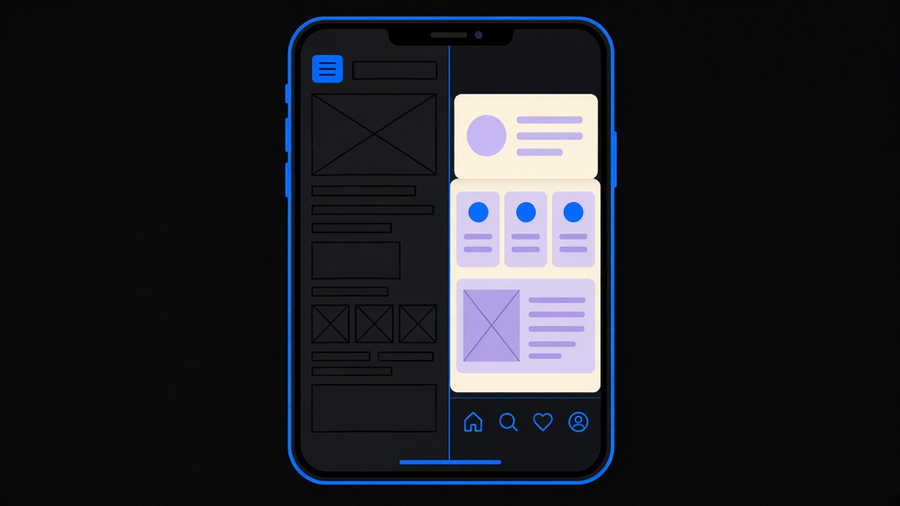
Making a mobile app means writing the screens, yes, but it also means handling background work, permissions, a store reviewer who can reject your submission for a placeholder screen, and a privacy disclosure that has to match what your code actually does. Most guides on this topic walk you through a wireframe and a “choose your platform” fork and call it done. That skips the half of the job that happens after the UI looks right, which is also the half that stalls launches.
What making an app actually includes
An Android app is not one file, it is Kotlin, Java, or C++ compiled with resources into an installable package, built from four component types: activities for screens, services for background work, broadcast receivers, and content providers, all running inside a sandbox that has to ask permission before it touches a camera, a location, or a Bluetooth radio. That is the architecture before you have written a feature.
Then there is platform-specific UX. Microsoft’s own mobile development guidance points out that navigation metaphors differ by platform, iOS puts the tab bar at the bottom and has no hardware back button, Android historically put navigation at the top. Build one layout and ship it everywhere and it reads as foreign on at least one platform, a detail that generic “mobile app development” explainers tend to skip for a single generic mockup.
Distribution is part of the build too, not a separate step at the end. Apple reviews every App Store submission and requires a privacy policy inside App Store Connect and inside the app itself. Guideline 2.1 rejects placeholder content outright, your submission has to be final and tested on an actual device. Guideline 5.1.1 requires you to state what data you collect, who you share it with, and how a user deletes it. Google Play runs its own ongoing policy calendar, with child-safety and age-restriction rule expansions and a developer identity verification rollout both landing in 2026 for specified markets. None of that shows up in a wireframe. All of it shows up the week you try to submit.
The process from idea to store
Microsoft’s mobile SDLC, the model most agency write-ups quietly repackage, names five phases: inception, design, development, stabilization, and deployment, and it says explicitly that these phases overlap rather than run in strict sequence. A later feature can be in design while an earlier build is still in beta. That is closer to how agile mobile app development actually behaves in practice than a tidy five-step graphic suggests, and it is why time-boxed milestones work better than a fixed finish-line date.

Google’s own first-app walkthrough for android app development is a useful reality check on scope: install Android Studio, pick Empty Activity, set a minimum SDK, write some Compose code, preview it. That gets you to Hello World on your own device, not a shipped app. Google also states that Kotlin is used by more than 60% of professional Android developers, which tells you where the hiring pool actually sits if you are staffing this yourself.
Getting from that Hello World to a live listing takes two separate account setups. Apple’s free developer tier limits you to on-device testing with profiles that expire in seven days, you need paid Program membership to use App Store Connect and TestFlight. Google Play charges a one-time $25 registration fee, and personal accounts created after November 2023 cannot reach Production until a closed test holds at least 12 opted-in testers for 14 straight days. A lot of first-time teams plan their launch date around the code being done and get blindsided by that 14-day gate, which can’t be fast-tracked by working harder.
Native vs cross platform, and why “hybrid” isn’t one thing
This is where most roundup posts get sloppy, lumping two different approaches under one label. React Native app development writes your UI in JavaScript with React, and at runtime it renders actual platform views, a Text component becomes a real UITextView on iOS or a real TextView on Android. The official framing is that because it uses the same platform views, the app looks and performs like other native apps on that device. Capacitor takes a different route entirely: it is a web app, built with regular web tooling, wrapped in a native shell with JavaScript plugins bridging to Swift or Java for device APIs. One renders native views from JavaScript, the other renders web views inside a native container. Treating those as interchangeable is where “cross platform mobile app development” write-ups go wrong.
For a straight-up native vs hybrid call: build native when the app is graphics-heavy, AR, or genuinely platform-specific, where the native toolchain earns its cost. Pick React Native for most line-of-business and consumer apps, you get one JavaScript codebase, real platform views, and the option to drop into native modules for the rare feature that needs them. I would not build a two-codebase native app for a product that is mostly forms, lists, and a feed. That tradeoff costs you some access to bleeding-edge platform APIs on day one, and that is a real cost worth naming, not a footnote.
What it costs and how long it takes
No agency blog, this one included, has a clean primary dataset for “how much does mobile app development cost,” and the handful of pricing-index sites that claim one were unreachable when we checked their sourcing, which is its own small tell. What is documented: Apple’s Program membership runs $99 a year, $299 if you need the Enterprise tier for internal employee distribution. Google Play’s one-time fee is $25. Past that, cost is driven by decisions, not a lookup table: one shared codebase versus two native ones, how much backend and cloud infrastructure the app needs, how wide a device and OS matrix you test against, and whether your submission clears store review on the first pass or bounces on a missing privacy disclosure.
Mobile app development process questions tend to collapse into timeline questions, and timeline is the lever that actually moves cost. A team that treats the Play closed-test gate as a 14-day fact instead of a surprise ships closer to on schedule. We land on-budget on 94% of the projects we run, and the pattern behind that number is boring: fixed scope, one platform path, and no mid-build pivot from native to hybrid after development has already started. If you want the fuller breakdown, how much mobile app development costs is worth reading before you quote a client or a boss a number.
When to build it yourself and when to hire it out
The median U.S. pay for a software developer was $135,980 in 2025, according to the Bureau of Labor Statistics, and that is one generalist engineer, not a team that also covers design, QA, and store compliance. Building in-house makes sense when the app is the product and you are staffing a durable team anyway. It stops making sense when you need one app shipped once and the alternative is a permanent headcount line.
Most customers only need a slice of what a full internal platform team would build them, and end up overpaying for capacity they never use. On the agency side, we would put the number of mobile shops that are genuinely strong, trustworthy, and actually staffed where they say they are at roughly a third, the rest are reselling a templated process regardless of what the pitch deck says. A capable partner can take mobile app development from inception through both store submissions faster than most internal teams can clear their first sprint planning meeting, because they have already hit the Play 14-day gate and the Apple 2.1 rejection before. If you are at the point of weighing build versus buy, it is worth talking to a team that has shipped the native and React Native path before you have an app built and discover the store review gate the hard way.
Pick the platform model before you write a line of UI code, budget the account setup and review time as real calendar days, and decide early whether you are staffing this or hiring it, because changing your mind on any of those three halfway through is the most expensive mistake on this list.