

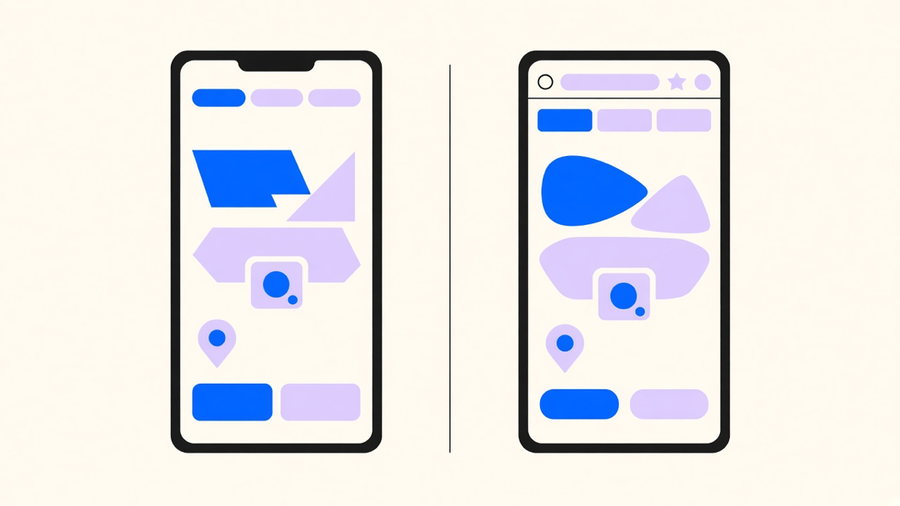
Native vs hybrid app comes down to one tradeoff. Native gets you the fastest, most capable app on a single platform, at the cost of building and maintaining it twice. A hybrid or cross-platform codebase gets you both app stores from one team, at the cost of some performance headroom and a dependency on whatever bridge sits between your code and the device. Which side wins depends on what the app has to do, not on which blog post told you to just use React Native.
That answer gets muddier because most comparison pages use “hybrid” to describe three different builds. Fix that first, and the rest of the decision gets easier.
Native, hybrid, and cross-platform are three different builds
Mobile app development splits into roughly four approaches, according to AWS: native, where you write platform-specific code that runs directly on the OS; cross-platform native, where you write once and it compiles down to a real native app; hybrid-web, where HTML, CSS, and JavaScript get bundled into an installable package that runs inside a web container with a bridge to native device APIs; and progressive web apps, which skip the app store entirely. Native Android means Kotlin or Java talking to the Android SDK directly. Google says Kotlin is already the primary language for more than 60% of professional Android developers, which tells you where new native Android work is actually happening.
Hybrid, in the strict sense, is Apache Cordova’s model: your UI is a WebView loading a local index.html, with plugins binding JavaScript calls to native device features. Capacitor describes itself as the “next evolution” of that pattern, a native runtime that still wraps web UI but exposes native SDKs more directly.
React Native is not that. React Native’s own docs are explicit that it is not a WebView-based tool: your JavaScript describes the UI, and at runtime React Native creates the matching native views, a View becomes a real UIView or ViewGroup, a Text becomes a real TextView. Flutter takes a third approach, compiling Dart straight to machine code and painting the screen with its own rendering engine instead of the OS’s native widgets. Kotlin Multiplatform goes further still, letting teams share business logic while keeping fully native UI on each platform. Three different engineering bets, and most comparison articles flatten them into one word because “hybrid” is easier to sell against. That flattening is also why a lot of older hybrid-vs-native advice is just wrong about what React Native or Flutter actually do under the hood.
Performance and app store realities
Native wins the raw-performance argument because it talks to the OS directly with no runtime or bridge in between. React Native’s own performance docs lay out why the gap can show up in a hybrid build: there is a JavaScript thread and a separate native UI thread, both targeting roughly 60 frames per second, and around 200 milliseconds of JavaScript work can drop about 12 frames and visibly stall a JS-driven animation. Native-stack transitions and scroll views, by contrast, can keep running on the main thread without waiting on JavaScript at all. Even Ionic, which sells a hybrid toolkit, concedes the WebView gap is real but says it is often unnoticeable outside 3D games and heavy animation work, which is a vendor admitting the one case where its own product loses.
App store rejection is not really a native-vs-hybrid question either. Apple’s App Store Review Guideline 4.2 requires apps to offer features and UI beyond a repackaged website, and specifically calls out apps that are just marketing material, web clippings, or a collection of links. A thin WebView wrapper around a marketing site risks rejection. A Capacitor or React Native app with real device features does not get flagged for its compiler. Store math is also flat across stacks: Apple charges $99 a year for a developer account ($299 for Enterprise), and Google charges a one-time $25 Play Console registration fee, regardless of what framework built the APK.
When native wins
Pick native when the app’s job is the hard part, not the UI. Microsoft’s own guidance points to heavy data processing, 3D animation, and continuous on-device inference, live camera classification, speech, predictive text, as the cases where direct access to the device’s NPU and sensors matters most. Kotlin’s documentation agrees: go native for a single-OS target, hardware-intensive work (camera, GPS, AR, games), UI that has to match platform conventions exactly, or a product that needs day-one access to new OS APIs instead of waiting for a third-party framework to catch up.
Notice what is missing from that list: most consumer MVPs, internal tools, and content apps. “Native always feels better” gets repeated as a rule when it is really a description of four specific workloads. If your app’s hardest problem is forms, lists, and API calls, you are paying native’s dual-codebase tax to solve a problem you do not have.
When a shared codebase wins
A shared codebase wins on time-to-market and team size, which is most of what matters during early agile mobile app development, when the backlog changes weekly and a second native codebase just doubles the QA surface for every sprint. Kotlin’s own case studies report teams sharing 60% to 95% of their code across platforms depending on the approach, and Block’s Bitkey app reportedly shares 95% of its mobile codebase through Kotlin Multiplatform. That is a real company’s number, not a marketing range.
Cross-platform mobile app development also does not change the underlying mobile app development process, just the UI layer. AWS describes the same lifecycle regardless of stack: an installable front end, a backend API, authentication, push notifications, storage, and device testing. One web-skilled team can usually cover the front end; someone still needs native chops for plugin work and store submission either way. Ionic cites its hybrid customer Sanvello as a store app with over 3 million users and a 4.8-star rating, which is a legitimate result worth noting, and also exactly the kind of case study a toolkit vendor leads with, so treat it as one data point rather than a category-wide guarantee.
What it actually costs
How much does mobile app development cost depends on the stack mostly through codebase count, not store fees. The fees themselves are small and identical either way: Apple’s $99 annual developer fee, Google’s one-time $25 registration. The real cost delta is qualitative. AWS and Microsoft both describe native as more expensive to build and maintain because it means multiple specialized codebases and the engineers who can write them; hybrid and cross-platform cost less because one team covers both platforms. Neither publishes a dollar figure, and you should be skeptical of anyone who does with total confidence.
Vendor numbers deserve a harder look here than anywhere else in this decision. Ionic claims cross-platform delivery is often two to three times faster than native and can cut costs 60% versus hiring specialized native talent. JetBrains cites a single customer, Music Work, reporting a 30% reduction in development and maintenance cost after adopting Compose Multiplatform. Both are real claims from real companies, and both are also the stack’s own vendor talking about its own product. Use them as the upper bound of what is possible under ideal conditions, not as your project’s expected outcome.
If I’m picking for a team without a validated product yet, I’d start with a shared codebase and accept the plugin-lag risk, because the cost of rebuilding a validated feature set natively later is smaller than the cost of maintaining two codebases through a pivot. The teams that should go native from day one are the ones already building the exact device-heavy workload Microsoft and Kotlin both describe: games, AR, continuous sensor use. Everyone else is optimizing for a performance ceiling they will not hit for a year, if ever.
Whichever side of that line your project sits on, the build still needs someone who has shipped both native and cross-platform apps and knows which store rule or bridge limitation will actually bite you six months in, not just which framework looks best in a comparison table.