

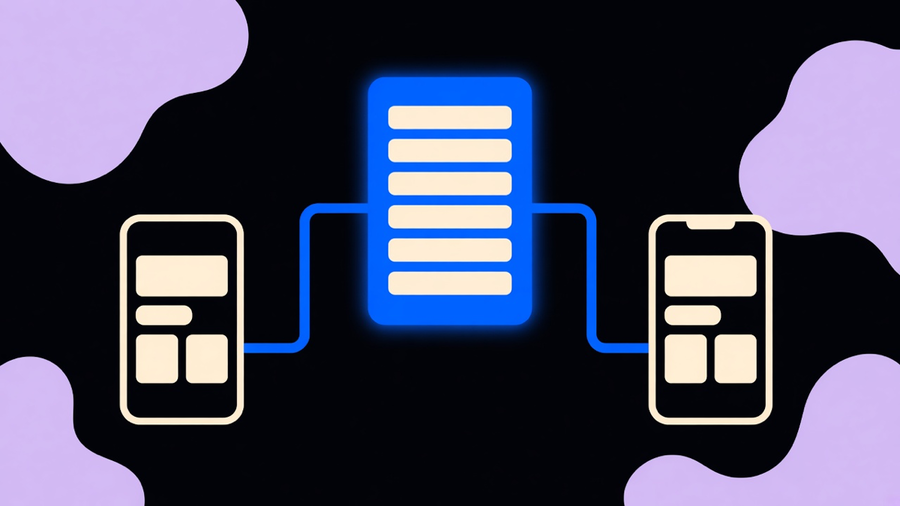
Cross-platform mobile app development means writing one shared codebase that ships to both Android and iOS, instead of building two separate native apps in two separate languages. That is the whole idea. What it does not mean, despite how agencies pitch it, is that the two platforms disappear into one build with zero platform-specific work. If you’re deciding how to make a mobile app for a team that cannot afford to hire a Swift team and a Kotlin team at once, the real question is not “cross-platform or native,” it’s which kind of cross-platform, and what you still have to build twice anyway.
Cross-platform, native, and hybrid are not the same thing
The industry treats “cross-platform” as one bucket. It isn’t. OWASP’s mobile app taxonomy splits the field into native SDK apps, compiled cross-platform frameworks, browser-based web apps, hybrid WebView apps, and progressive web apps, and the distinction matters because each one gets different store risk, different performance, and different hardware access. A native app built with Kotlin or Swift talks to the OS directly. A compiled cross-platform app, like one built in React Native or .NET MAUI, shares most of the source code but still compiles down to native UI components on each platform. A hybrid app, like something built on Ionic with Capacitor, embeds web code (HTML, CSS, JavaScript) inside a native shell and leans on a bridge to reach device features.
JetBrains draws the same line: hybrid apps “typically lag behind native apps in performance,” while compiled cross-platform frameworks write most logic once and reuse it without that WebView layer in between. The practical fallout is that when a vendor says “cross-platform” on a sales call, ask which of these four categories they mean. A $15,000 Ionic wrapper and a $150,000 React Native app with native modules both get called “cross-platform,” and they are not the same risk. Android and iOS are not a niche split either: Statcounter put worldwide mobile OS share at 69% Android and 31% iOS as of September 2026, so almost nobody gets to skip one side.
Choosing between React Native, native Android, and the rest
Pick a framework by what your team already knows how to hire for, not by a chart of theoretical FPS numbers. React Native app development uses JavaScript and React, which is the deepest hiring pool in the industry, and Meta ships it in Instagram and Quest apps today. In October 2024, React Native 0.76 made its “New Architecture” the default: a new rendering layer (Fabric), direct native module calls (Turbo Native Modules), and a synchronous bridge (JSI) replacing the old async JSON bridge. Worth noticing: Meta’s own blog post admitted the old bridge blocked 60fps rendering and caused blank frames in lists, which is an unusually honest thing for a framework vendor to put in a launch announcement.
.NET MAUI (Microsoft’s successor to Xamarin.Forms) shares one C#/XAML codebase across Android, iOS, macOS, and Windows, and still gives you an escape hatch to call native platform APIs when the shared layer falls short. Kotlin Multiplatform, backed by Google since I/O 2024 for sharing business logic, is the quieter option: Duolingo, Netflix, and Cash App use it to share logic while keeping native Compose or SwiftUI on top, rather than sharing UI. None of these replaces native Android app development when the product’s whole reason to exist is an Android-only or platform-exclusive feature. If your roadmap has a single OS and no cross-platform ambition for the next two years, a cross-platform framework is a tool you’re paying for and not using.

What a single codebase does not erase
eBay’s Motors team rewrote their app in Flutter and hit 98.3% shared code between platforms, a genuinely rare number worth naming because most teams never get close to it. Even they still wrote custom native plugins for device APIs the framework didn’t cover, and their harder problem was merging two previously separate Android and iOS teams into one, not the code itself. React Native’s own documentation assumes you’ll write .ios.js and .android.js files when a component needs to diverge, and ships a Platform module specifically for branching logic by OS. That’s the framework vendor telling you, in the docs, that full code sharing is the exception.
Date pickers, keyboards, safe areas, and the back gesture all behave differently on Android and iOS no matter which framework renders them, and an emulator will hide the battery drain, overheating, and low-memory crashes that only show up on a real device. Test on physical hardware from the first sprint, not the week before submission. And if the plan is to wrap a website in a WebView and call it a mobile app, read Apple’s App Store Review Guideline 4.2 first: apps that are “primarily marketing materials, ads, or a collection of web links” get rejected outright, which is the store’s way of saying a thin wrapper is a rejection risk, not a shortcut.
Running the build agile without losing the native feel
Agile mobile app development on a cross-platform codebase works the same way agile works everywhere else: short sprints, a working build at the end of each one, and a backlog that gets reordered when real feedback arrives. A mobile app development process that skips this and plans the whole build upfront tends to discover the platform differences in week ten instead of week two, which is the expensive way to learn them. The difference is that “done” for a mobile sprint has to include both platforms passing on real devices, not just the simulator that happened to be open. We’ve found the fastest path to a trustworthy estimate is also the cheapest one to run: ship a working proof of concept before committing to the full build. Our own average time to a first PoC is seven days, specifically so a client sees working software on their phone before signing off on three months of a roadmap built on guesses.
That discipline is also what keeps mobile app development projects on budget. We land on-budget on 94% of projects, and the pattern behind that number is boring: scope gets locked per sprint instead of per quarter, so a client asking for “one more thing” mid-sprint sees the tradeoff immediately instead of three invoices later.
When to skip cross-platform, and what it costs either way
Skip cross-platform when the product’s core feature needs something the framework doesn’t expose yet. Apple’s own ARKit guidelines require “rich, integrated” AR experiences, not a 3D model dropped into a generic viewer, which is hard to deliver through an abstraction layer built for buttons and lists. Real-time video processing, custom camera pipelines, and anything graphics-heavy tend to leave React Native, MAUI, and Ionic for native SDKs or a dedicated game engine. Everything else, meaning most line-of-business apps, content apps, and internal tools, is a legitimate cross-platform candidate in 2026 in a way it wasn’t in the Cordova era.
On cost: be skeptical of any flat dollar range you see quoted for “mobile app development cost” without a source attached, because most of the numbers floating around the internet trace back to vendor self-reporting rather than audited data, and we won’t repeat a figure we can’t back. What we can tell you is what controls cost on our side: fixed sprint scope, a PoC before the big build, and picking native vs hybrid app architecture based on what the product actually needs rather than what sounds impressive in a pitch deck. If you’re weighing cross-platform apps against two separate native builds, the honest framing is that cross-platform buys you shared logic and a smaller team, not a free pass on testing both platforms for real.