

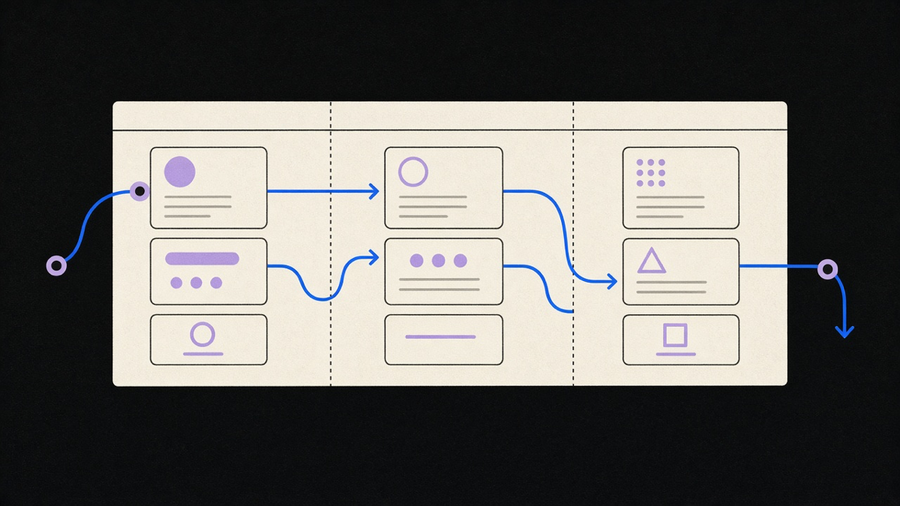
Most “CRM automation tools” lists answer the wrong question. They rank ten platforms by price and call it a buyer’s guide, when the decision that matters happens before you pick a vendor: does your CRM’s native workflow engine cover what you need, or are you bolting on an automation add-on anyway. Zendesk defines CRM automation as tasks the software runs on a schedule, on a trigger, or through AI, once you set the criteria. Every vendor agrees on that part. What they skip is that “the software runs it” means something different depending on whether the trigger lives inside the CRM or inside a connector you pay for separately.
Native workflow vs the add-on you’ll end up buying anyway
Every major CRM ships a workflow builder: Salesforce has Flow Builder, HubSpot has workflows in its Sales and Marketing Hubs, Zoho has Blueprint and workflow rules. These are native, meaning the trigger, the condition check, and the action all execute inside the CRM’s own database, with no data leaving the system. That matters for latency, since native triggers fire in seconds instead of on a polling schedule, and for reliability, since nothing depends on a second vendor’s uptime.
The add-on category is different. CRM automation as a term gets stretched to cover Zapier, Make, and iPaaS tools that sit between your CRM and everything else, watching for a change and pushing it somewhere native workflow can’t reach: a Slack channel, a Google Sheet, a phone system, an ERP. Affinity’s framing is useful here even though they’re selling a CRM, not a connector: they split automation into data capture, workflow triggers, and intelligence, and argue that most CRM automation still depends on someone typing the data it was supposed to eliminate. That’s the add-on’s real job in most deployments, not extra polish. It’s the piece that makes native workflow trustworthy, because a trigger firing on stale data is worse than no trigger at all.
The distinction sounds academic until you’re debugging why a lead didn’t get an email. Native workflow means one system’s logs to check. A chain of three connectors means troubleshooting a relay race where the failure could be in any leg. Buy native for anything time-sensitive inside the CRM. Buy the add-on for anything that has to leave it.
CRM workflow vs marketing automation, and where the handoff actually happens
Zendesk draws the cleanest line in the research: CRM automation is geared to sales and customer service, meaning it manages the relationship after engagement has already started. Marketing automation covers the top of the funnel, where a prospect hasn’t had a real conversation with anyone yet. Once that first conversation happens, the lead gets handed from the email automation side to the CRM side.
Marketing automation platforms own lead scoring, email campaign sequencing, social campaign management, and open/click reporting. CRM workflow owns scheduling, omnichannel outbound calling, quoting and pricing, and pipeline stage management. Lark’s rundown of CRM features lumps some marketing-shaped functions, like a subscription-expiry reminder sent by SMS, directly into the CRM product, which admits how blurry vendors have made this on purpose. HubSpot and Salesforce both sell a marketing hub and a sales CRM as separate line items because the handoff point is exactly where they want you to buy twice.
The useful rule isn’t which software has more features, it’s who owns the relationship at that moment. If nobody at your company has talked to the person yet, that’s a marketing automation job. Once a rep is emailing back and forth, that same contact record belongs in CRM workflow, with its own triggers for follow-up cadence and stage advancement. Confuse the two and a lead gets a “we miss you” drip campaign three days after signing a contract.
What named tools actually automate, and why the price comparisons don’t agree
Every vendor comparison in this space quotes different numbers, none exactly wrong, just measuring different plans on different dates. Affinity’s own comparison table lists Salesforce Essentials at $25 per user with Flow Builder but limited native data capture, HubSpot at free or $20 for Starter with strong marketing tooling but partial email tracking, and Zoho at $14 per user with workflow rules and its Blueprint process engine. Lark’s separate 2025 pricing rundown puts HubSpot’s Starter tier at $15 and Professional at $90, against Lark Pro at $12 per user and Salesforce Starter Suite at $25. A third table, from monday.com’s blog, lines up monday at $12, Salesforce at $25, Zoho at $14, HubSpot at $20, and Pipedrive at $14, all per user per month.
Do not average those. HubSpot Starter shows up as $15 on one page and $20 on another because the pages cite different months or different bundled add-ons. If price matters to your decision, pull the number from the vendor’s own pricing page the week you’re buying, not from whichever blog ranked highest. What’s consistent across all three sources is the functional split: Quickbase and NetSuite lean toward scheduled and data-change automations for larger operations teams, Zoho and HubSpot lean toward lead scoring and distribution for smaller sales teams, and Affinity’s pitch is automatic relationship capture for deal-driven teams like private equity and VC, where nobody wants to log a meeting by hand.
Stated plainly: most teams buying a CRM only end up using ten to twenty percent of what they’re paying for, and the automation tier is usually the most neglected slice of that unused ninety percent, because building a workflow well takes more configuration time than anyone budgets at purchase. The fix isn’t a cheaper tool. It’s fewer workflows, built correctly for the two or three moments that actually cost you deals, instead of the twelve templates the onboarding wizard suggests.
Why the automation you bought still isn’t running itself
Affinity’s most useful claim in this research isn’t about their own product, it’s a diagnosis: most CRM automation depends on a human entering the exact data the automation was supposed to make unnecessary. When that manual step breaks down, which it does within a few busy weeks for most sales teams, adoption drops and leadership stops trusting the numbers in the pipeline report. That’s a familiar pattern to anyone who has watched a CRM rollout stall six weeks in, not because the software was wrong, but because reps stopped filling in the field the automation was reading.
The counterexample worth naming: Affinity reports 96 to 100 percent firmwide adoption at client firms when automatic email and calendar capture removes manual logging entirely, with one case (Alpha Partners, per Affinity’s own writeup) claiming 100 hours saved per week and tripled dealflow tracked. Take vendor case studies with the appropriate grain of salt, but the mechanism holds: automation that depends on willpower fails, automation that depends on a calendar sync doesn’t. Separately, Salesforce’s own research on CRM connectivity found the average org runs close to 900 applications with only 29 percent integrated, which points at the real failure mode: not a missing workflow builder, but the handoff between systems nobody wired together.
We’ve customized enough of these systems for clients to have an opinion here too: workflow rules built custom for a specific sales process, reviewed against how that team actually works, outperform whatever a template pack ships with, even at a higher upfront cost. Cheaper in the long run beats cheaper on day one, because the template version gets abandoned by month three and someone rebuilds it anyway. If you’re past the “which tool” question and into “how do I actually run this,” that’s a how to use CRM software problem more than a shopping problem, and if the automation needs to cross into your sales floor or your phone system, that’s usually where a sales force automation layer, not another CRM feature toggle, is the right fix.
The buying decision, in order
Work the decision in this order and most of the vendor noise stops mattering. First, figure out whether the automation you need lives inside the CRM’s native trigger engine or has to reach outside it. Second, confirm where the marketing-to-sales handoff happens in your process, and make sure ownership of that contact record moves cleanly, not two weeks late. Third, price the two or three tools that fit your team size directly from their own pricing pages, since the blog comparisons will not agree with each other. Fourth, build fewer workflows than the onboarding wizard recommends, built around the moment data actually breaks down, which is almost always manual entry.
None of that requires the newest AI feature a vendor announced last quarter. If your team keeps forgetting to log the call, no automation trigger downstream of that gap fires, no matter how many integrations you’re paying for. Fix the capture point first. If your team needs help wiring HubSpot or Salesforce into the rest of your stack rather than switching plans again, that’s the kind of CRM integration work that pays off before another license renewal does.