

An AI receptionist for small business is a phone system that answers every call in a natural voice, books appointments straight into your calendar, answers common questions from a knowledge base you feed it, and transfers or texts you when a call needs a human. That is the whole pitch, and most of the vendors selling it (Rosie AI, Upfirst, Ringly, Smith.ai, Allo) ship some version of exactly that feature set. The part worth your attention isn’t whether it works. It’s which calls it should handle and which ones it shouldn’t.
What an AI Receptionist Actually Does (and How It’s Different From an IVR)
A legacy phone tree makes a caller press 1 for sales, 2 for support, 3 to sit on hold. An AI receptionist has a conversation instead: it understands “I need to reschedule my Thursday appointment” without a menu, checks your calendar, and either books the change or texts you to confirm. That’s the functional gap between “AI phone answering service” and the auto-attendant your office already has, and it’s the reason this category exists at all instead of just being a cheaper phone line.
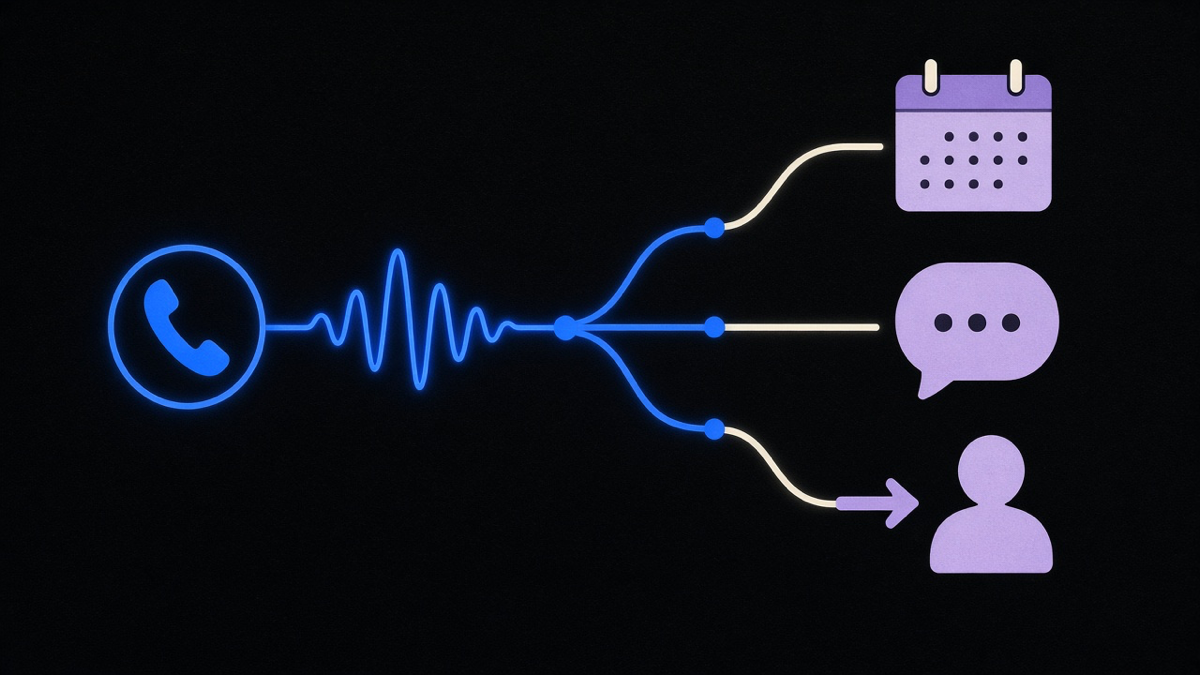
The task list is consistent across vendors. Answer every call, day or night. Take a message with real detail instead of a garbled voicemail. Book, reschedule, or cancel an appointment against your live calendar. Answer FAQs (hours, pricing, location) from a script or knowledge base you set up once. Flag or transfer anything urgent to a real person. Upfirst’s own comparison guide, built from testing more than 30 tools by forwarding real calls to each one, found the split holds across nearly every entrant in the category: the tools differ on voice quality and setup friction, not on which five jobs they’re trying to do. That FAQ-answering piece is really just phone-shaped customer service automation, the same triage logic your helpdesk already runs, applied to a ringing line instead of a support ticket.
Where they genuinely diverge is escalation, and that’s the tension worth naming instead of glossing over. A pure-AI vendor will hand you cost savings and 24/7 coverage. A hybrid vendor like Smith.ai backstops the AI with live human receptionists for calls that go sideways. My take: for a business where most calls are scheduling and simple FAQs, a pure-AI setup is the right default, because that’s the exact call type it was built for. For a business where a mishandled call carries real cost (a patient in distress, a legal intake, an angry customer about to leave a one-star review), pay for the hybrid tier or make sure your AI’s escalation path is fast and obvious. The tradeoff you’re conceding either way: pure AI is cheaper and always on, hybrid is pricier and slower to scale, and neither one is “set it and forget it.”
If you’re weighing this against building it yourself, the same call-routing logic shows up in a broader AI receptionist build, voice, text, and web handled by the same agent instead of three separate tools duct-taped together.
Best Answering Service for Small Business: AI, Human, or Both
“Best answering service for small business” searches turn up a mixed bag on purpose, because the honest answer depends on what your calls actually look like. Traditional human-staffed services (Ruby, AnswerConnect, PatLive) put a trained person on every call, billed by the minute or by the message. AI-first tools (Upfirst, Rosie AI, Ringly) skip the staffing cost entirely and default to full-time availability, because there’s no shift to schedule around. Smith.ai sits in the middle: AI handles the routine load, a human back office covers what the AI flags.
The real differentiator isn’t accuracy in the abstract, it’s what happens on the calls that don’t fit the script. A missed reschedule request is a minor annoyance. A missed emergency call because the AI didn’t recognize urgency is a different kind of problem, and it’s exactly why healthcare practices and legal intake lines still lean human or hybrid more than retail and trades do. Vertical tools have picked up on this split hard enough to specialize: Greetmate positions specifically for healthcare, Loman for restaurants, Ringly for Shopify stores. If your call volume includes anything adjacent to patient scheduling, a medical answering service built for that specific workflow beats a generic tool every time.
Rank, don’t hedge: for a service business whose calls are 80% booking and FAQs, an AI-first answering service is the better default, full stop. For anything where a call can turn into a liability question, pay for the hybrid model and treat the extra cost as insurance, not overhead.
What an AI Answering Service Actually Costs
Answering service cost and virtual receptionist pricing both come down to the same three shapes, and the shape matters more than the sticker price. Per-call pricing (Upfirst, Smith.ai) is the most predictable, since a slow day costs less and a busy day costs a known amount. Per-minute pricing (Ringly, Marlie) looks cheap for short calls and gets expensive fast once conversations run long. Per-user pricing (Allo) makes sense for a team where everyone needs their own line and doesn’t for a solo owner paying for headcount they don’t have.
Real numbers, pulled from current vendor pricing pages: Upfirst starts at $24.95 a month with per-call billing. Rosie AI starts at $49 a month with unlimited minutes. Allo starts around $16 a month per user. Ringly runs $349 a month, positioned for Shopify stores with heavier call volume. On the human-staffed side, PatLive’s tiers run from $49 a month for 50 minutes up to $2,899 a month for 2,000 minutes, with overage rates dropping from $2.99 to $1.64 per minute as you commit to a bigger block, a structure that punishes exactly the small business that can’t forecast its call volume yet.
The number that actually bites isn’t the base plan. It’s the extras sitting outside the headline price: a separate phone-number fee, a texting add-on that needs its own Twilio account, a one-time setup fee. A $49 plan with a $149 setup charge and per-minute overage can land more expensive than a flat $99 plan by month three, and vendors don’t lead with that math for obvious reasons. Verify pricing against each provider’s own page before you sign, since these rates shift often enough that a screenshot from six months ago is already out of date.

Once you’ve picked a tool, wire it into your CRM and calendar instead of running it as a standalone phone line. An answering service that can’t write back to your scheduling system is still generating manual work somewhere, it’s just moved the bottleneck from the phone to a spreadsheet.
Is There a Genuinely Free AI Answering Service?
Mostly no, and the reason is straightforward: every AI-handled call costs real money in compute and telephony minutes, so a vendor offering unlimited free service is subsidizing you or hiding the cost somewhere you haven’t found yet. What actually exists is a free tier with a hard cap on minutes, or a free trial that converts to paid once you’re through the onboarding window. EchoWin and My AI Front Desk both lead with “free, then” pricing: usable for testing, not for running your actual phones once call volume climbs past a trial’s worth of minutes.
That’s the honest read for anyone searching “free ai answering service” hoping to skip the invoice entirely: treat a free tier as a trial period with a longer leash, not a permanent plan. It’s a fine way to confirm the voice quality doesn’t sound robotic and the booking flow actually writes to your calendar before you commit a card number. It is not a way to run a business phone line for free indefinitely, and any vendor implying otherwise is selling you the setup, not the service.

The businesses that get the most out of a free trial use it the same way they’d pilot any new phone system: forward calls from one line for a week, check that it can book appointments automatically without double-booking your calendar, and only then decide whether the paid tier’s price makes sense against what a missed call actually costs you. Skip that step and you’re just guessing at a monthly number instead of measuring one.