

Appointment reminders cut no-shows because they close the gap between booking and showing up, the exact window where people forget, double-book, or quietly decide not to bother. A 2010 study in the American Journal of Medicine put real numbers on that gap: patients who got no reminder at all no-showed 23.1% of the time, an automated call brought that down to 17.3%, and a live staff call brought it down further to 13.6%. That single study tells you most of what you need to know about this whole category. Reminders work. The channel and the person sending them change how much.
Everyone selling reminder software leads with the no-show statistic and stops there. The more useful question is which reminder, sent by which method, at which point before the appointment, actually moves the number for your business, and where automation earns its keep instead of just adding another notification nobody reads.
What Actually Reduces No-Shows (and Where Live Beats Automated)
The research on this is more contested than any vendor page lets on. A randomized trial in Brazil found phone calls cut no-shows to 9.5%, compared to 21% for SMS and 22.8% for no reminder at all, live outreach more than doubling the effectiveness of a text. But that result doesn’t hold everywhere. A large colonoscopy study in Hong Kong found SMS reminders moved no-shows from 11.9% to 8.9%, a real but modest gain. And a study of addiction treatment clinics in the Netherlands, tracking nearly 200,000 appointments, found SMS reminders barely moved the needle at all, from 21.9% down to 20.5%, a reduction the authors themselves called clinically insignificant for that population.
Automated reminders are the reliable, scalable floor, worth having for every appointment, and live outreach is a scarce resource worth spending only on the patients most likely to no-show. Denver Health ran exactly that logic at scale: an SMS program reaching over 47,000 patients, where the real bottleneck wasn’t message effectiveness, it was opt-in friction (only 43.7% of patients responded to the invite at all). Reminders don’t work on people who never receive them, a detail that gets lost between the pilot study and the sales deck.
If I’m picking one default for a service business or clinic, it’s automated SMS for every appointment, with a live call reserved for whoever your no-show risk model actually flags. That costs less than staffing a call queue for every booking and gets most of the effectiveness. The cost you’re accepting is that a segment of high-risk patients, the ones a phone call would have caught, still slip through on text alone.
AI Scheduling Assistants vs. a Reminder You Set Once and Forget
An AI scheduling assistant is software that reads your calendar, predicts who’s likely to miss an appointment, and adjusts the reminder cadence and channel automatically instead of sending the same text to everyone at the same fixed interval. GReminders, aimed at financial advisors, claims the average user saves 600-plus hours a year running scheduling, reminders, and notetaking through one system, and one client testimonial on its own site claims a full day of prep work dropped to 40 minutes. Those are vendor numbers, not audited ones, worth reading as directional rather than gospel.
The category has a genuine cautionary tale sitting in it right now. Clockwise, one of the most cited AI calendar tools, publicly reported over 8 million hours of focus time created and 23 million meetings rescheduled for customers including Uber and Netflix. The product is shutting down in March 2026, with the team moving to Salesforce and users told to migrate their calendar automation to a competitor. An AI scheduling layer is a dependency you’re renting, not infrastructure you own, and building your reminder workflow around one vendor without a fallback plan is the kind of risk a services partner should flag before you sign the contract, not after the shutdown email arrives.
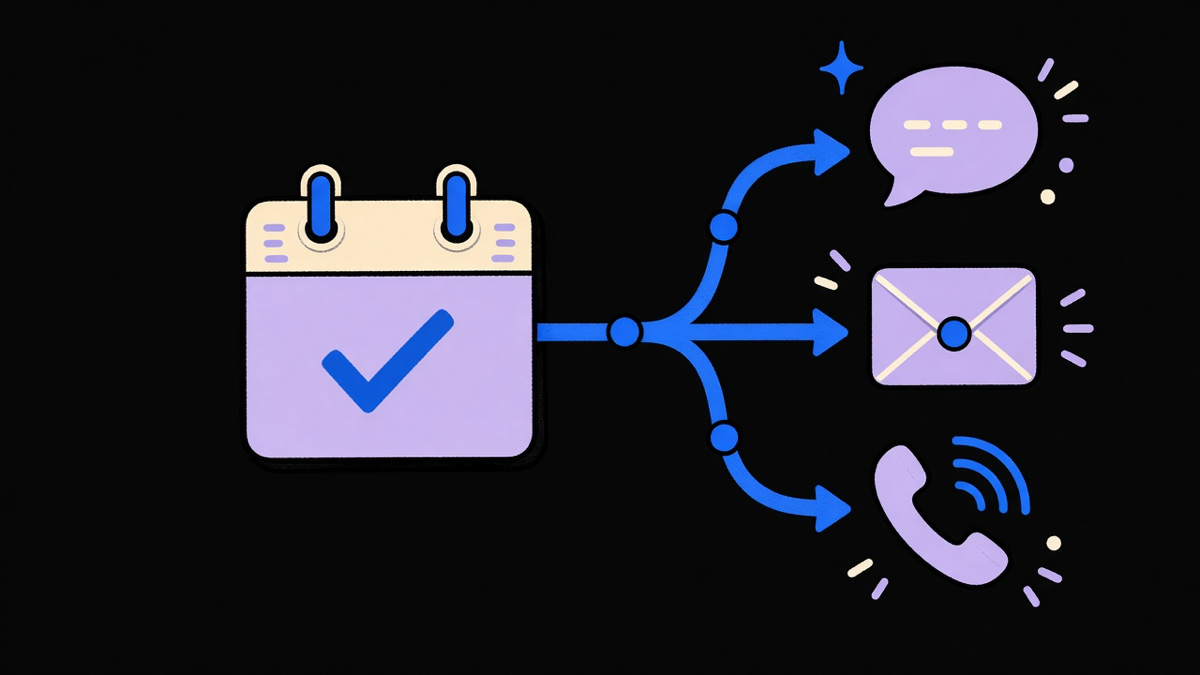
That’s the case for pairing an AI receptionist with your reminder system instead of a standalone app: one AI phone system that answers the phone, books the slot, and triggers the reminder sequence is one fewer vendor to lose sleep over if it disappears. AI still needs someone checking its work, good at catching the reminder nobody sent because the front desk got slammed, not at judging which patient needed a call instead of a text.
Why Google Calendar Won’t Text Your Clients For You
Google Calendar’s own support documentation lists exactly three notification channels: phone push, browser pop-up, and email. SMS isn’t one of them, and it never has been as a standing feature. That gap is deliberate enough that an entire tier of Google Workspace Marketplace apps exists purely to bolt SMS onto Calendar: Apptoto, Remindlo, and similar tools request calendar read access, pull a phone number out of the event’s guest field or description text, and fire the text through a separate SMS provider.
Worth knowing before you install one: these add-ons ask for broad calendar permissions (read every event you can see) because Google never built a narrower “SMS reminder” scope for them to use instead. There’s also no dedicated phone-number field on a Calendar event, so the add-on is parsing unstructured text and hoping your formatting is consistent. It usually works. It’s also the kind of workaround that breaks the one week someone types a phone number with dashes and the app expected dots.
If your business already runs meetings through Google Calendar and wants reminders synced to Google Calendar without a bolt-on’s data footprint, that’s the argument for AI voice agents that book appointments directly into the calendar in the first place: the reminder logic lives with the booking, not stapled on afterward by a third party reading your guest list.
Reminder Templates That Get a Reply, Not Just a Read Receipt
The reminder-template roundups agree on a three-touch cadence: a confirmation the moment someone books, a reminder 24 to 36 hours out, and a same-morning nudge for early appointments. Bookedin’s own template guide is specific about the failure mode to avoid: never write “tomorrow at 2,” because a reminder read at 11pm or during a lunch break reads ambiguous. Write the actual day and date.
Text and email carry different jobs, not different tones. A text should fit the essentials, business name, service, time, location, a way to cancel or reschedule, in three or four lines someone can read at a glance. Email is where the cancellation-fee policy, the parking instructions, and the “please arrive 15 minutes early for intake paperwork” line belong, because that’s information worth having in writing, not information worth reading in a hurry. Textedly’s own numbers claim 98% of texts get opened and that more than 60% of consumers prefer text contact overall, and I’d treat that specific percentage as a marketing number from an SMS vendor rather than a peer-reviewed fact. The structural point underneath it holds regardless of the exact figure: text wins on speed, email wins on detail, and the smart move is sending both instead of picking a winner.
For patient scheduling specifically, that same cadence applies with one addition worth calling out by name: a doctor appointment reminder should restate any prep instructions (fasting, medication holds, what to bring) in the final reminder, not just the first one, because that’s the message people actually read closest to the appointment.
When a Free Appointment Reminder App Is Actually Free
Every major scheduling tool draws its free-tier line at text messaging, not at appointment volume. Setmore’s free plan sends one reminder per booking and blocks SMS outright, email only. Square Appointments does the same: reminders are free by email, and the text-reminder feature is explicitly labeled unavailable on the free plan, unlocking only on the Plus tier at 500 included texts. Bookedin and GReminders skip a free tier entirely and offer a trial instead, GReminders’ cheapest paid plan bundling 160 SMS credits a month for $69.
That $69-for-160-texts number is a useful gut check for when a free tool stops being free in practice. A solo operator booking a handful of appointments a week can run reminders through Google Calendar’s email notifications and a personal phone, no cost, no vendor. The moment a business crosses roughly 150 to 200 text reminders a month, staying on a free or manual setup starts costing more in missed appointments than the cheapest paid plan would, and that’s the point to stop shopping for a free appointment reminder app and start pricing an automated one.
That crossover point is also where a services partner earns their fee: not by selling a bigger platform than a five-person clinic needs, but by wiring reminders, confirmations, and rescheduling into whatever’s already synced to your calendar and CRM so the automation costs less over a year than the labor it replaces, and less than the no-shows it prevents.